
Key facts
Start here
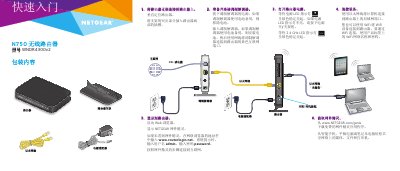
NETGEAR WNDR4300v2 N750 Wireless Router Quick Start Guide
This document serves as a quick start guide for the NETGEAR N750 Wireless Router (Model WNDR4300v2). It outlines the essential steps to set up the device, including mounting the stand, connecting power and network cables, and accessing the router's web interface. This manual is written in Chinese.
Read onlineAll NETGEAR WNDR4300 documents by type
Day-to-day operation, settings and troubleshooting. Start here if the product is already set up.
The shortest path to a working setup, usually only a few pages.
Questions answered in these manuals
What is the default username and password for the router login page?
The default username is admin and the default password is password, with both letters in lowercase.
From: NETGEAR WNDR4300 Dual-Band Gigabit Wireless Router Installation and Usage Instructions
How long must you hold the reset button to restore the router to factory settings?
You must hold the reset button for about 5 seconds until the power light flashes.
From: NETGEAR WNDR4300 Dual-Band Gigabit Wireless Router Installation and Usage Instructions
What is the default username and password for the router?
The default username is admin and the default password is password.
From: NETGEAR WNDR4300v2 N750 Wireless Router Quick Start Guide
What is the default username and password to log into the router?
The default username is admin and the default password is password.
From: NETGEAR WNDR4300v2 N750 Wireless Router Quick Start Guide