
Key facts
- Brand
- NETGEAR
- Model
- WG511
- Documents
- 4
- Languages
- EN
- Last added
- 2012-05-08
Start here
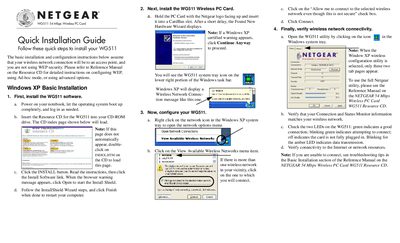
Netgear WG511 Wireless PC Card Quick Installation Guide
The guide walks you through installing the WG511 software, inserting the PC Card into a CardBus slot, and launching the utility from the system tray. It covers both Windows XP and older Windows versions (2000, Me/98), showing how to start the InstallShield wizard, finish the installation, and restart the computer.
After installation, the guide explains how to configure the wireless network settings, select an SSID, create and activate profiles, and verify connectivity using the status monitor and LED indicators. Troubleshooting tips point you to the full Reference Manual on the resource CD if you encounter connection problems.
NETGEAR WG511 specifications
| Antennae | 2 Integrated internal diversity antennas |
|---|---|
| Standards | 802.11g, 802.11b |
| Radio Data Rate | 1, 2, 5.5, 6, 9, 12, 18, 24, 36, 48, 54, and 108 Mbps (Auto Rate Sensing) |
| Frequency | 2.4 GHz to 2.5 GHz |
| Power | 3.3 V Bus powered |
| Dimensions | L 119 mm × W 54 mm × H 6 mm |
| Weight | 46 g (1.6 oz) |
| Operating Temperature | 0 °C to 55 °C |
| Encryption | 40‑bit (also called 64‑bit) and 128‑bit WEP |
| Warranty | Limited 1‑year warranty |
All NETGEAR WG511 documents by type
Day-to-day operation, settings and troubleshooting. Start here if the product is already set up.
The shortest path to a working setup, usually only a few pages.
Questions answered in these manuals
What is the maximum wireless signal rate of the WG511v2?
The WG511v2 supports a maximum wireless signal rate of 54 Mbps.
Does the WG511v2 meet FCC regulations?
Yes, the WG511v2 has been tested and complies with the specifications for a Class B digital device under Part 15 of the FCC Rules.
How do I install the WG511 software?
Insert the WG511 Resource CD, click the INSTALL button, follow the InstallShield wizard, and restart the computer when finished.
From: Netgear WG511 Wireless PC Card Quick Installation Guide
What should I do if Windows shows a Digital Signature Not Found warning during installation?
Click Yes to continue the installation.
From: Netgear WG511 Wireless PC Card Quick Installation Guide
Why does the WG511v2 Smart Configuration Utility keep asking me to save my settings?
The utility prompts you to save whenever you change a configuration, ensuring the new settings are stored.
Why is the WG511v2 not getting an IP address?
If the card does not receive an IP address, check the network’s DHCP settings and ensure the wireless connection is properly configured.