
Key facts
Start here
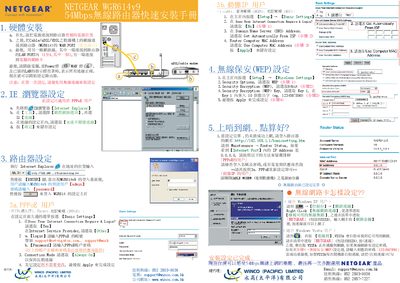
NETGEAR WGR614v9 54Mbps Wireless router quick Installation Guide
This guide walks you through connecting the Netgear WGR614v9 router, configuring the WAN (PPPoE, DHCP, or static IP) and LAN ports, and accessing the router’s web interface for basic settings. It includes step‑by‑step instructions for entering login credentials, selecting DNS options, and applying the configuration.
The document also explains how to set up wireless security, choose WEP or WPA encryption, generate a passphrase, and view router status information such as firmware version, MAC address, and IP settings.
NETGEAR WGR614V9 specifications
| LAN ports | Four 10/100 Mbps Ethernet ports |
|---|---|
| WAN port | One Internet (WAN) Ethernet port |
| Power input | AC power adapter outlet |
| Antenna | External wireless antenna |
| Stand | Snap‑on stand for vertical placement |
All NETGEAR WGR614V9 documents by type
Day-to-day operation, settings and troubleshooting. Start here if the product is already set up.
The shortest path to a working setup, usually only a few pages.
Questions answered in these manuals
How do I configure the internet connection on the WGR614v9?
Open the router’s web interface, go to Basic Settings, answer the "Does Your Internet Connection Require A Login?" prompt, and enter the PPPoE username and password (or select DHCP) before applying the settings.
From: NETGEAR WGR614v9 54Mbps Wireless router quick Installation Guide
How can I set up wireless security for the router?
Navigate to Wireless Settings, choose Security Options, select WEP or WPA, set the encryption key or generate a passphrase, and apply the changes.
From: NETGEAR WGR614v9 54Mbps Wireless router quick Installation Guide
How do I reset the router to factory defaults?
Press the Restore factory settings button on the back panel to return the router to its original configuration.
What do the status lights on the router indicate?
The lights show power, test mode, wireless radio status, Internet connection, and LAN activity, with different colors and blinking patterns indicating each condition.
How do I register my NETGEAR router for support?
Register the product at http://www.netgear.com/register to receive faster technical support and upgrade notifications.