
Key facts
- Brand
- NETGEAR
- Model
- M53
- Industry
- Electronics
- Documents
- 2
- Languages
- SV · ZH
- Last added
- 2026-11-04
Start here
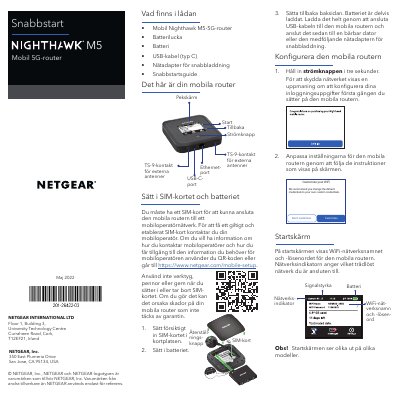
NETGEAR M53 5G Mobile Router Quick Start Guide
This guide helps you set up the NETGEAR M53 5G mobile router. Insert the SIM card and battery, charge the device using the included USB-C cable or AC adapter, and configure WiFi settings via the LCD screen or web browser. You can also download the NETGEAR Mobile app to manage your network.
The guide includes instructions for connecting to the internet, changing WiFi network name and password, switching WiFi bands, and using the LCD screen for network management. It also warns against using non-original accessories to avoid voiding warranty. This manual is written in Swedish.
NETGEAR M53 specifications
| RJ45 ports | 24 × 10/100/1000Base‑T |
|---|---|
| 10 GbE ports | 4 (2 × SFP, 2 × SFP+) |
| PoE power budget | 384 W total |
| CPU | Freescale P1010 800 MHz |
| Memory | 512 MB RAM |
| Flash storage | 128 MB |
| Stacking bandwidth | 384 Gbps (8‑unit stack) |
| MAC address table | 32 K entries |
Source: Netgear M5300-28G-POE+ Managed Gigabit Switch Data Sheet
All NETGEAR M53 documents by type
The shortest path to a working setup, usually only a few pages.
Ratings, dimensions and ordering codes, for selection and design work.
Questions answered in these manuals
How do I insert the SIM card?
Insert the SIM card carefully into the slot. Do not use tools, pens, or nails as they may damage the router and void warranty.
How do I charge the battery?
Connect the USB-C cable to the router and plug it into a laptop or the included AC adapter for fast charging.
What is the maximum stacking bandwidth for the M5300-28G-POE+?
The switch supports up to 384 Gbps stacking bandwidth when eight units are stacked in a dual‑ring topology.
From: Netgear M5300-28G-POE+ Managed Gigabit Switch Data Sheet
Which processor is used in the M5300-28G-POE+?
The device uses a Freescale P1010 processor running at 800 MHz.
From: Netgear M5300-28G-POE+ Managed Gigabit Switch Data Sheet