
NETGEAR Nighthawk AC1900 Smart Wireless Router R7000 Installation Guide

This document provides the installation guide for NETGEAR's Nighthawk AC1900 Smart Wireless Router R7000. It includes steps for installing the antennas, connecting the modem, powering on the router, and connecting computers.
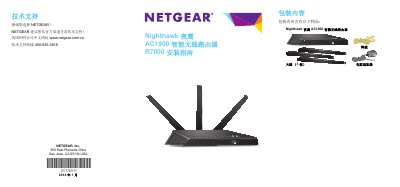

NETGEAR Nighthawk AC1900 Smart Wireless Router R7000 Installation Guide - cover page
Brand
NETGEAR
Category
Router
Document type
Installation Guide
Language
Chinese
Pages
20
File format
PDF
File size
2.1 MB
Published
22 March, 2023
Updated
27 September, 2023
Model
R7000
MD5 checksum
8BC43A4788C5FD3E649CC256BD8E5D9E

About this manual

This document is the installation guide for the NETGEAR Nighthawk AC1900 Smart Wireless Router R7000. It details the unboxing contents, physical installation steps including antenna placement, and the initial connection process via the NETGEAR Genie wizard or manual browser login. The guide explains how to configure the default wireless network and access the management interface. This manual is written in Chinese.

What's inside

  • Installation
  • Antenna Setup
  • Modem Connection
  • Router Power On
  • Computer Connection
  • NETGEAR Genie
  • Wireless Security
  • Management Page Login
  • ReadySHARE Vault
  • Advanced Features

Frequently asked questions

How should the router antennas be positioned for best performance?

The middle antenna should be vertical, and the two side antennas should be angled at 45 degrees outward.

What are the default login credentials for the router management page?

The username is admin and the password is password, both in lowercase letters.

How long do you have to press the WPS button on a wireless device after pressing it on the router?

You must press the wireless device's WPS button within 2 minutes of pressing the router's WPS button.

Download PDF (2.1 MB)

More NETGEAR Manuals


View all NETGEAR manuals →