
Key facts
- Brand
- NETGEAR
- Model
- DGN2200
- Category
- Network Tools
- Documents
- 2
- Languages
- EN
- Last added
- 2012-05-08
Start here
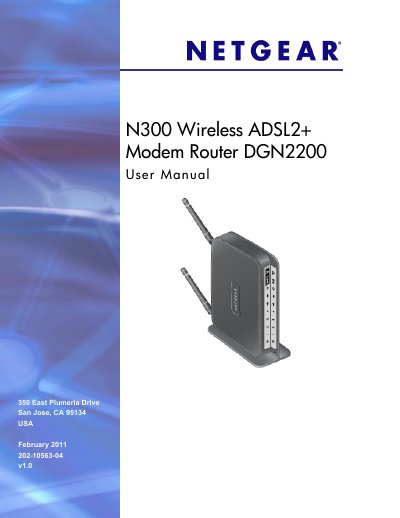
N300 Wireless ADSL2+ Modem Router DGN2200 user manual
The manual begins with a hardware setup guide, describing how to unpack the DGN2200, identify its label, connect power, DSL, Ethernet and USB ports, and verify cabling. It also explains the front and back panel LEDs and button functions.
Subsequent chapters cover router configuration, wireless settings, content filtering, VPN setup, USB storage sharing, advanced network options, and detailed troubleshooting procedures, along with appendices that list factory defaults and technical specifications.
NETGEAR DGN2200 specifications
| Network protocol and standards compatibility | TCP/IP, RIP‑1, RIP‑2, DHCP, PPPoE or PPPoA, RFC 1483, Bridged or Routed Ethernet, RFC 1577, Classical IP over ATM |
|---|---|
| Power adapter input (North America) | 120 V, 60 Hz |
| Power adapter output | 12 V @ 1.5 A |
| Physical dimensions | 6.80 in × 5.03 in × 1.28 in (173 mm × 128 mm × 33 mm) |
| Weight | 0.65 lb (0.29 kg) without the stand |
| Operating temperature | 0 °C to 40 °C (32 °F to 104 °F) |
| Interface specifications – LAN | 10BASE‑T or 100BASE‑Tx, RJ‑45 |
Source: N300 Wireless ADSL2+ Modem Router DGN2200 user manual
All NETGEAR DGN2200 documents by type
Day-to-day operation, settings and troubleshooting. Start here if the product is already set up.
Questions answered in these manuals
How can I reduce wireless interference caused by the router?
Reorient or relocate the receiving antenna, increase the distance between the router and the receiver, or use a different circuit outlet.
From: NETGEAR DGN2200 Wireless-N 300 Modem Router User Manual
What FCC compliance class does the DGN2200 belong to?
It is classified as a Class B digital device under FCC Part 15 rules.
From: NETGEAR DGN2200 Wireless-N 300 Modem Router User Manual
What items are included in the DGN2200 box?
The box contains the DGN2200 router, an AC power adapter, a Cat‑5 Ethernet cable, a telephone cable with RJ‑11 connector, microfilters, a resource CD, and the installation guide.
How do I reset the DGN2200 to factory settings?
Press the Restore Factory Settings button on the label at the bottom of the router, which also displays the security PIN, MAC address, and serial number.