
Key facts
Start here
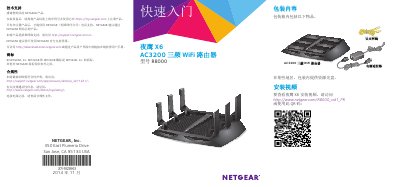
NETGEAR R8000 NightHawk X6 AC3200 WiFi Router User Manual
This document is the user manual for the NETGEAR R8000 NightHawk X6 AC3200 tri-band WiFi router. It details the contents of the package, including the router, power adapter, and Ethernet cable. The guide explains how to register the product for support and provides instructions on adjusting the antennas for optimal performance. This manual is written in Chinese.
Read onlineNETGEAR R8000 specifications
| Combined WiFi Speed | Up to 3.2Gbps |
|---|---|
| Processor | Dual-core 1GHz processor |
| WiFi Band 1 Speed | Up to 600Mbps |
| WiFi Band 2 Speed | Up to 1.3Gbps |
| WiFi Band 3 Speed | Up to 1.3Gbps |
| USB Port Type | USB 3.0 port |
Source: NETGEAR Nighthawk X6 AC3200 Tri-Band WiFi Gigabit Router Data Sheet R8000
All NETGEAR R8000 documents by type
Day-to-day operation, settings and troubleshooting. Start here if the product is already set up.
Ratings, dimensions and ordering codes, for selection and design work.
Questions answered in these manuals
What is the default username and password to log into the router?
The default username is admin and the default password is password.
From: NETGEAR R8000 NightHawk X6 AC3200 WiFi Router User Manual
How long must you hold the WPS button to start the connection process?
You must hold the WPS button for three to five seconds.
From: NETGEAR R8000 NightHawk X6 AC3200 WiFi Router User Manual
What is the maximum combined WiFi speed of this router?
The Nighthawk X6 AC3200 provides a massive combined wireless speed of up to 3.2Gbps.
From: NETGEAR Nighthawk X6 AC3200 Tri-Band WiFi Gigabit Router Data Sheet R8000
Does this router support Alexa voice control?
Yes, the router supports Voice Controlled by Amazon Alexa for simple voice commands.
From: NETGEAR Nighthawk X6 AC3200 Tri-Band WiFi Gigabit Router Data Sheet R8000
How do I download the Nighthawk app?
Visit Nighthawk-app.com to download the app.
What can I do with the Nighthawk app?
Manage content and time online, view connected devices, change WiFi settings, and test Internet speed.