
Key facts
Start here
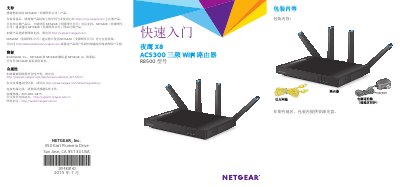
NETGEAR Nighthawk X8 AC5300 Tri-Band WiFi Router R8500 Quick Start Guide
This quick start guide is for the NETGEAR Nighthawk X8 AC5300 tri-band WiFi router (model R8500). It covers package contents, hardware features, LED indicators, front-panel buttons, router installation, and WiFi network setup.
The guide also explains how to connect a modem and devices, log in to the router, and use the NETGEAR genie app for remote access. Default WiFi settings are printed on the product label, and the default router login is admin/password. This manual is written in Chinese.
NETGEAR R8500 specifications
| Ethernet ports | 6 |
|---|---|
| USB 3.0 port | 1 |
| USB 2.0 port | 1 |
| Ethernet port aggregation | Uses Ethernet ports 1 and 2 |
| WiFi bands | Tri-band |
Source: NETGEAR Nighthawk X8 AC5300 Tri-Band WiFi Router R8500 Quick Start Guide
All NETGEAR R8500 documents by type
The shortest path to a working setup, usually only a few pages.
Day-to-day operation, settings and troubleshooting. Start here if the product is already set up.
Questions answered in these manuals
What are the default router login credentials?
The default username is admin and the default password is password.
From: NETGEAR Nighthawk X8 AC5300 Tri-Band WiFi Router R8500 Quick Start Guide
Where are the default WiFi network name and password found?
They are printed on the product label.
From: NETGEAR Nighthawk X8 AC5300 Tri-Band WiFi Router R8500 Quick Start Guide
What items are included in the package for the NETGEAR Night Eagle X8 Tri-Band WiFi Router R8500?
The package includes a router, an Ethernet cable, and a power adapter.
From: NETGEAR Night Eagle X8 Tri-Band WiFi Router R8500 Quick Start Guide
What are the default login credentials for accessing the router's web interface?
You must enter admin as the username and password as the password.
From: NETGEAR Night Eagle X8 Tri-Band WiFi Router R8500 Quick Start Guide