
Key facts
- Brand
- NETGEAR
- Model
- N300
- Category
- Wireless connection
- Industry
- Computers
- Documents
- 7
- Languages
- EN · ZH
- Last added
- 2026-10-31
Start here
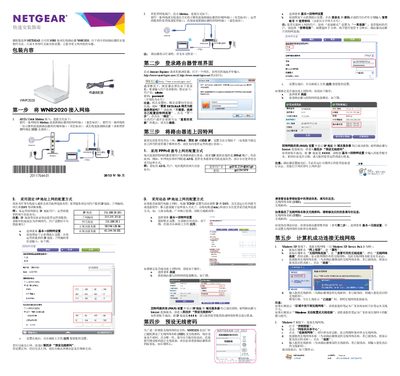
NETGEAR WNR2020 N300 Series Wireless Router Quick Installation Guide
This document is a quick installation guide for the NETGEAR N300 Series Wireless Router WNR2020. It provides step-by-step instructions to complete the initial setup in five steps, including connecting the hardware, accessing the management interface, configuring internet connections (PPPoE, Static IP, or Dynamic IP), and setting up wireless security. This manual is written in Chinese.
Read onlineNETGEAR N300 specifications
| Product Type | WiFi Range Extender |
|---|---|
| Network Standard | N300 |
| Wireless Technology | Dual-band WiFi |
| Operating Modes | Extender Mode, Access Point Mode |
Source: NETGEAR WN3000RPv3 N300 Wi-Fi Range Extender User Manual
All NETGEAR N300 documents by type
Day-to-day operation, settings and troubleshooting. Start here if the product is already set up.
The shortest path to a working setup, usually only a few pages.
Mounting, wiring and first power-up. Read it before the hardware goes in.
Questions answered in these manuals
Can I set up the extender in extender mode if I connect it with an Ethernet cable?
No. The extender is designed to use WiFi to connect to the router or access point if it is in extender mode.
From: NETGEAR WN3000RPv3 N300 Wi-Fi Range Extender User Manual
How do I restore the extender to factory default settings?
Press and hold the Factory Reset button for at least seven seconds until the Power LED lights amber, then release and wait for it to reboot.
From: NETGEAR WN3000RPv3 N300 Wi-Fi Range Extender User Manual
What are the default login credentials for the router?
The default username is admin and the default password is password (all lowercase).
From: NETGEAR WNR2020 N300 Series Wireless Router Quick Installation Guide
How do I reset the router to factory settings?
Press and hold the reset button for about 4 seconds until the power light flashes, then release.
From: NETGEAR WNR2020 N300 Series Wireless Router Quick Installation Guide
How do I reset the router to factory settings?
Press the reset button inside the hole on the router’s bottom for at least 7 seconds using a pin or similar object.
What is the default Wi‑Fi password?
The default Wi‑Fi password is printed on the product label.