
Key facts
- Brand
- NETGEAR
- Model
- R6250
- Category
- Router
- Industry
- Electronics
- Documents
- 2
- Languages
- EN
- Last added
- 2026-11-18
Start here
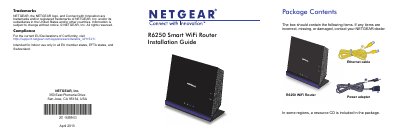
NETGEAR R6250 Smart WiFi Router Installation Guide
This guide walks you through installing the NETGEAR R6250 Smart WiFi Router. Start by preparing your modem, connecting it to the router, powering on the device, and connecting a computer. You can configure the router via the NETGEAR genie web interface or the NETGEAR genie app. The guide also covers joining the wireless network, accessing router settings, and using ReadySHARE for USB device sharing.
Read onlineNETGEAR R6250 specifications
| Package contents | Ethernet cable, R6250 WiFi Router, Power adapter |
|---|---|
| LAN ports | Four LAN Ethernet ports |
| USB port | Connect a USB storage device or printer |
| Wireless security | Unique preset WiFi network name (SSID) and network key (password) |
| Default user name | admin |
| Default password | password |
| WPS join window | 2 minutes |
| WiFi LED state after power on | Solid blue |
All NETGEAR R6250 documents by type
Day-to-day operation, settings and troubleshooting. Start here if the product is already set up.
Mounting, wiring and first power-up. Read it before the hardware goes in.
Questions answered in these manuals
How do I connect my modem to the router?
Connect your modem to the Internet port of the router using the yellow Ethernet cable that came with the router.
What is the default login for the router?
The default user name is 'admin' and the password is 'password'.
How do I connect my modem to the router?
Use the yellow Ethernet cable that came with the router to connect the modem to the router's Internet port.
What are the default login credentials?
The default user name is admin and the default password is password.