
This manual introduces the connection and use of the VT800 projector, including connecting power, connecting computer, connecting audio equipment, connecting HDMI equipment, connecting external display and so on.
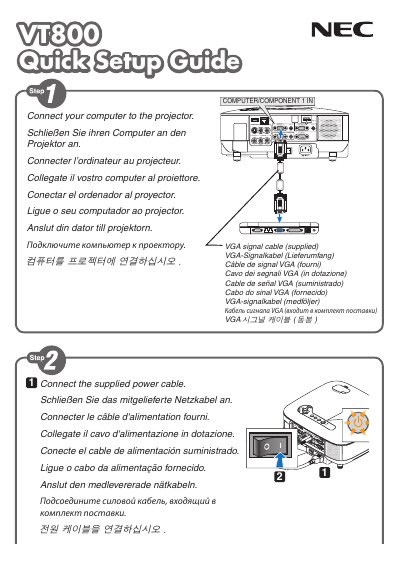
This quick guide provides the essential steps to set up the NEC VT800 display. It includes connection instructions, power‑on procedures, and basic configuration tips.
The guide also explains the AUTO ADJ. button that automatically optimizes the RGB image, and it offers multilingual tip sections (English, German, French, Italian, Spanish, Portuguese, Swedish) for users worldwide.
Press the AUTO ADJ. button to optimize an RGB image automatically.
The guide provides tip sections in English, German, French, Italian, Spanish, Portuguese, and Swedish.