
Key facts
Start here
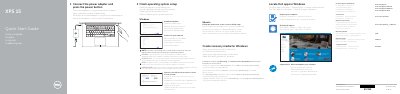
Dell XPS 9550 Quick Start Guide
This guide helps you set up your Dell XPS 9550 laptop. Connect the power adapter and press the power button to start. Follow on-screen instructions to complete operating system setup. Connect to your network and sign in to your Microsoft account or create a local account. The laptop features a camera, USB 3.0 ports with PowerShare, HDMI, Thunderbolt 3, headphone jack, microphones, SD card slot, and battery status indicators.
Read onlineDell XPS 9550 specifications
| Processor | 6th Gen Intel Core i3, i5, or i7 |
|---|---|
| Memory | 8 GB, 16 GB, or 32 GB DDR4 2133 MHz |
| Graphics | NVIDIA GeForce GTX 960M or Intel HD Graphics 530 |
| Dimensions | 17 mm (H) x 357 mm (W) x 235 mm (D) |
| Weight | 1.78 kg (non-touch) to 2 kg (touch) |
All Dell XPS 9550 documents by type
The shortest path to a working setup, usually only a few pages.
Day-to-day operation, settings and troubleshooting. Start here if the product is already set up.
Questions answered in these manuals
How do I connect the laptop to power?
Connect the power adapter and press the power button.
How do I connect to a secured wireless network?
Enter the password for the wireless network access when prompted.
How do I start the XPS 9550?
Connect the power adapter and press the power button.
What should I do when connecting to a secured wireless network?
Enter the password for wireless network access when prompted.
How can I check the battery level?
Press the battery status button to light up the five battery charge status indicators.
What is the power adapter output voltage?
The rated output voltage is 19.50 VDC.