
Key facts
- Brand
- DELL
- Model
- Wyse 7040
- Documents
- 3
- Languages
- EN
- Last added
- 2023-11-29
Start here
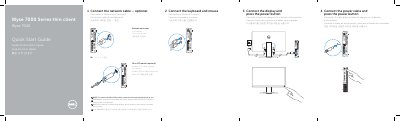
HP 7000 Series Thin Client HP 7040 Quick Start Guide
This two-page quick start guide covers the setup of the Dell Wyse 7040 thin client. It walks through connecting the power cable and pressing the power button, connecting the display, optionally connecting the network cable (including an optional Fibre SFP module), and connecting the keyboard and mouse. Instructions are given in English, French, Spanish and Korean.
The second page lists and numbers the thin client's features, from the power button and hard-drive activity light to the USB, DisplayPort, HDMI, SFP and network connectors, security-cable slot, padlock ring, cable holder and service tag. It also gives Dell support and contact web addresses, regulatory compliance information, and NOM information listing the regulatory model D10U, input voltage 19.5 V and maximum input current 3.34 A.
Dell Wyse 7040 specifications
| Regulatory model | D10U |
|---|---|
| Regulatory type | D10U001 |
| Input voltage | 19.5 V |
| Input current (maximum) | 3.34 A |
| Computer model | Wyse 7040 |
Source: HP 7000 Series Thin Client HP 7040 Quick Start Guide
All Dell Wyse 7040 documents by type
The shortest path to a working setup, usually only a few pages.
Questions answered in these manuals
How do I start the Wyse 7040 thin client?
Connect the power cable and press the power button.
How do I remove the Fibre SFP module?
Rotate the latch and unplug the module from its slot.
How do I power on the Wyse 7040?
Connect the power cable and press the power button.
From: Wyse 7000 Series thin client Wyse 7040 Quick Start Guide
How do I install a fiber SFP module?
Rotate the latch and unplug the module from its slot.
From: Wyse 7000 Series thin client Wyse 7040 Quick Start Guide
How do I remove the Fibre SFP module?
Rotate the latch and unplug it from its slot.
From: Dell Wyse 7000 Series Thin Client Wyse 7040 Quick Start Guide
Is the network cable connection required?
No, it is optional.
From: Dell Wyse 7000 Series Thin Client Wyse 7040 Quick Start Guide