
Key facts
Start here
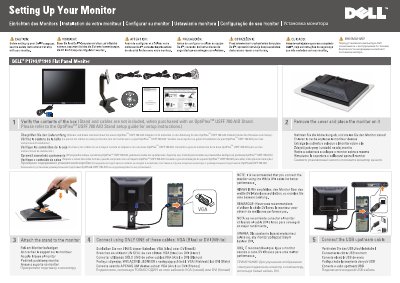
Dell OptiPlex USFF 780 AIO Stand Installation Guide
This guide provides instructions for installing the Dell OptiPlex USFF 780 AIO Stand. It notes that the stand and cables are not included when purchased separately and directs users to the specific stand setup guide for detailed assembly steps. The document also includes a diagram labeling key monitor features such as input signal selection, screen menu buttons, and power controls.
Read onlineDell OptiPlex USFF 780 AIO specifications
| Document Part Number | 4J.0W801.012 |
|---|---|
| Document Revision | Rev.A01 |
| Publication Date | September 2009 |
All Dell OptiPlex USFF 780 AIO documents by type
Mounting, wiring and first power-up. Read it before the hardware goes in.
Questions answered in these manuals
Which cables can be used to connect the monitor?
Use only one of these cables: VGA (blue) or DVI (white).
Does the rotation apply to the AIO stand?
No. The rotation is not applicable for the AIO stand.
Are the stand and cables included with the monitor?
No. When purchased with an OptiPlex USFF 780 AIO Stand, the stand and cables are not included; refer to the stand setup guide.
Which cable should I use to connect the monitor?
Use only one cable, either VGA (blue) or DVI (white); DVI is recommended for better display.
Does the OptiPlex USFF 780 AIO Stand come with cables?
No, the stand and cables are not included when purchased separately.
Can the AIO stand rotate?
No, the rotation feature is not applicable for the AIO stand.