
Key facts
Start here
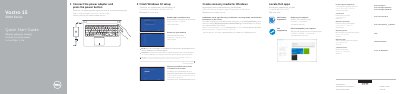
Dell Vostro 15 3000 Series Laptop Quick Start Guide
This guide helps you quickly set up your Dell Vostro 15-3558/3559 laptop. Connect the power adapter, complete Windows 10 setup, connect to your network, sign in to your Microsoft account or create a local account, and create recovery media. It also lists hardware features and shortcut keys for immediate use.
The guide includes diagrams and multilingual instructions for connecting peripherals, adjusting brightness, and using built-in features like the camera, microphone, and touchpad.
Dell Vostro 15–3558 specifications
| Computer model | Vostro 15-3558 |
|---|---|
| Regulatory model | P52F |
| Regulatory type | P52F001 |
| USB 2.0 connectors | Present |
| USB 3.0 connector | Present |
| VGA connector | Present |
Source: Dell Vostro 15 3000 Series (Vostro 15-3558) Laptop Quick Start Guide
All Dell Vostro 15–3558 documents by type
The shortest path to a working setup, usually only a few pages.
Day-to-day operation, settings and troubleshooting. Start here if the product is already set up.
Questions answered in these manuals
How do I connect to a secured wireless network?
Enter the password for the wireless network access when prompted.
How do I create recovery media for Windows?
In Windows search, type Recovery, click Create a recovery media, and follow the instructions on the screen.
What steps are required to connect to a secured wireless network?
You must enter the password for the wireless network access when prompted.
What is the regulatory model number for the Vostro 15-3558?
The regulatory model is P52F.
What are the maximum operating and storage temperatures for the Dell Vostro 15–3558?
The computer operates between 0 °C and 35 °C and can be stored between -40 °C and 65 °C.
What is the maximum memory capacity supported by the Dell Vostro 15–3558?
The system supports a maximum memory capacity of 16 GB.