
Dell Vostro 15 3000 Series Laptop Quick Start Guide
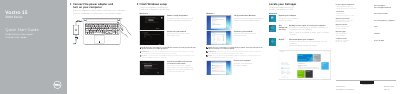
This quick start guide covers initial setup for the Dell Vostro 15 3000 Series (Vostro 15-3558) laptop: connect the power adapter, turn on the computer, finish Windows setup, enable security and updates, connect to a network, sign in or create an account, set a Windows password, and protect the computer. Steps for Windows 7 and Windows 8 are included.
The guide also identifies laptop features such as the microphones, camera, optical drive, USB connectors, headset connector, touchpad, speakers, memory-card reader, VGA connector, network connector, power connector, battery, and service-tag label. It lists shortcut keys for audio, brightness, wireless, sleep, and other functions, and refers to the Owner's Manual at dell.com/support for more information.
| Computer model | Vostro 15-3558 |
|---|---|
| Regulatory model | P52F |
| Regulatory type | P52F001 |
| USB 2.0 connectors | Present |
| USB 3.0 connector | Present |
| VGA connector | Present |
Enter the password for the wireless network access when prompted.
See the Owner's Manual at dell.com/support.
The regulatory model is P52F.
The computer model is Vostro 15-3558.