
Key facts
Start here
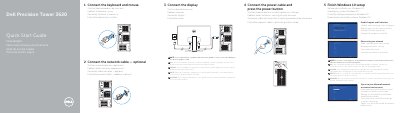
Dell Precision Tower 3620 Quick Start Guide
The Dell Precision Tower 3620 Quick Start Guide describes the initial setup: connect the keyboard and mouse, the optional network cable, the power cable and press the power button, and connect the display, including to a discrete graphics card if ordered. It then covers finishing Windows 10 setup, enabling Support and Protection, connecting to a network, and signing in to a Microsoft account or creating a local account.
The Features section lists the system's connectors and controls, including the power button, optical drive, USB 3.0 and USB 2.0 connectors, headphone and microphone connectors, DisplayPort and HDMI connectors, audio line-out and line-in/microphone connectors, expansion-card slots, security-cable slot, padlock ring, network connector, and serial port connector.
Dell Precision Tower 3620 specifications
| Regulatory model | D13M |
|---|---|
| Input voltage | 100 V CA–204 V CA |
| Input frequency | 50 Hz/60 Hz |
| Output current | 5,0 A |
All Dell Precision Tower 3620 documents by type
The shortest path to a working setup, usually only a few pages.
Disassembly, diagnostics and part numbers, for repair.
Questions answered in these manuals
How should the display be connected if the computer has a discrete graphics card?
Connect the display to the discrete graphics card.
What is needed when connecting to a secured wireless network?
Enter the password for the wireless network access when prompted.
How do I connect the display?
Connect the display to the discrete graphics card if your computer has one.
How do I connect to my network?
Enter the wireless network password if connecting to a secured wireless network.
Where should the display be connected if the computer has a discrete graphics card?
Connect the display to the discrete graphics card.
What should be entered when connecting to a secured wireless network?
Enter the password for the wireless network access when prompted.