
The Dell Precision Tower 3620 Quick Start Guide provides information on how to set up and use the Dell Precision Tower 3620 desktop computer.
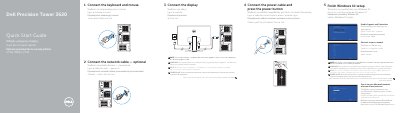
This document serves as a multilingual Quick Start Guide for the Dell Precision Tower 3620 computer. It provides step-by-step instructions in English, Greek, Portuguese, Russian, and Hebrew for connecting essential peripherals such as the keyboard, mouse, network cable, and power cable. It also details the process for completing the Windows 10 setup and enabling support features.
Connect the display to the discrete graphics card instead of the standard display port.
Enter the password for the wireless network access when prompted.
The regulatory model is D13M.