
The Dell Precision Tower 3620 Quick Start Guide provides instructions on how to connect the keyboard and mouse, network cable, power cord, and display.
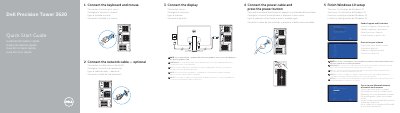
This document serves as a multilingual quick start guide for the Dell Precision Tower 3620 workstation. It provides step-by-step instructions for connecting essential peripherals, including the keyboard, mouse, network cable, and power cable, as well as connecting the display to the appropriate port. The guide also details the process for completing the Windows 10 setup and enabling support features.
| Product Model | Precision Tower 3620 |
|---|---|
| Operating System | Windows 10 |
| Regulatory Model | D13M |
| Regulatory Type | D13M002 |
You should connect the display to the discrete graphics card.
Enter the password for the wireless network access when prompted.