
Key facts
- Brand
- DELL
- Model
- Precision 7920 Rack
- Category
- Servers Computer
- Documents
- 11
- Languages
- EN · NL · MUL
- Last added
- 2023-11-24
Start here
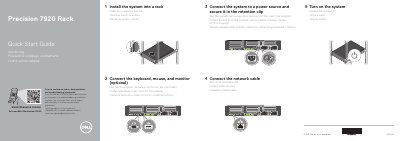
Dell Precision 7920 Rack Workstation Quick Start Guide
This document provides a multilingual quick start guide for the Dell Precision 7920 Rack workstation. It outlines the initial setup steps, including installing the system into a rack, connecting peripherals like the keyboard, mouse, and monitor, and securing the power and network cables.
Read onlineDell Precision 7920 Rack specifications
| Regulatory model | E38S |
|---|---|
| Regulatory type | E38S001 |
| PCIe expansion slots | x8 |
| Network ports | x4 |
| Power supply | x2 |
Source: Dell Precision 7920 Rack Workstation Quick Start Guide
All Dell Precision 7920 Rack documents by type
The shortest path to a working setup, usually only a few pages.
- Dell Precision 7920 Rack Workstation Quick Start Guide 2 p
- Dell Precision 7920 Rack Quick Start Guide 2 p
- Dell Precision 7920 Rack Workstation Quick Start Guide 2 p
- Dell Precision 7920 Rack Workstation Quick Start Guide 2 p
- Dell Precision 7920 Rack Workstation Quick Start Guide 2 p
- Dell Precision 7920 Rack Workstation Quick Start Guide 2 p
- Dell Precision 7920 Rack Workstation Quick Start Guide 2 p
- Dell Precision 7920 Rack Workstation Quick Start Guide 2 p
- Dell Precision 7920 Rack Workstation Quick Start Guide 2 p
- Dell Precision 7920 Rack Workstation Quick Start Guide 2 p
Mounting, wiring and first power-up. Read it before the hardware goes in.
Questions answered in these manuals
What is the product name?
Precision 7920 Rack.
From: Dell Precision 7920 Rack Workstation Quick Start Guide
How many power supplies does the system have?
Two power supplies.
From: Dell Precision 7920 Rack Workstation Quick Start Guide
How do you secure the power cable to the system?
Connect the system to a power source and secure it in the retention clip.
How many network ports does the system have?
The system has (x4) network ports.
What is the first step to set up the system?
Install the system into a rack.
From: Dell Precision 7920 Rack Workstation Quick Start Guide
Is connecting a monitor required during setup?
No, connecting the keyboard, mouse, and monitor is optional.
From: Dell Precision 7920 Rack Workstation Quick Start Guide