
Precision 7920 Rack Workstation Quick Start Guide.
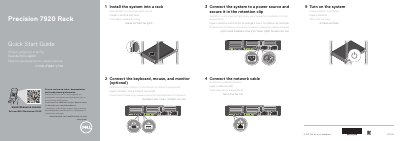
This guide gives numbered steps for installing the Dell Precision 7920 Rack into a rack, connecting a keyboard, mouse, and monitor if needed, connecting power and the network cable, and turning on the system.
It also labels system components such as USB, VGA, PCIe, network, and power connections, and provides product support, contact, regulatory, and Quick Resource Locator information.
| PCIe expansion card slots | 8 |
|---|---|
| Network ports | 4 |
| Power supplies | 2 |
| USB 2.0 ports | 2 |
| USB 3.0 ports | 2 |
| Optical drive | Optional |
Install it into a rack, connect the keyboard, mouse, and monitor if needed, connect power and secure the cable, connect the network cable, then turn on the system.
It has eight PCIe expansion card slots.
Scan the code on the guide to see how-to videos, documentation, and troubleshooting information.