
Dell Precision 7920 Rack Quick Start Guide

Dell Precision 7920 Rack Workstation Quick Start Guide.
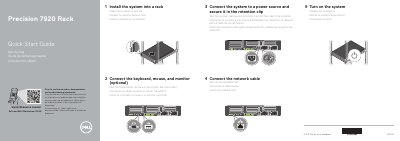

Dell Precision 7920 Rack Quick Start Guide - cover page
Brand
DELL
Document type
Quick Start Guide
Language
Dutch
Pages
2
File format
PDF
File size
110 KB
Published
24 November, 2023
Updated
24 November, 2023
MD5 checksum
357ADC2034715C429FEE5B4BADE0B029

About this manual

This guide walks you through installing the workstation into a rack, connecting peripherals, and powering it on. It includes diagrams of front panel ports and system components.

The guide is multilingual, offering instructions in Dutch, French, Spanish, and English. It also provides links to support, manuals, and regulatory information on Dell’s website. This manual is written in Dutch.

What's inside

  • Install the system into a rack
  • Connect the keyboard, mouse, and monitor
  • Connect the system to a power source
  • Connect the network cable
  • Turn on the system
  • Front panel components
  • System status indicator
  • Hard drive bays
  • USB ports
  • Network ports

Frequently asked questions

How do you secure the power cable to the system?

Connect the system to a power source and secure it in the retention clip.

How many network ports does the system have?

The system has (x4) network ports.

How many PCIe expansion card slots does the system have?

The system has (x8) PCIe expansion card slots.

Download PDF (110 KB)

More DELL Manuals


View all DELL manuals →