
Key facts
Start here
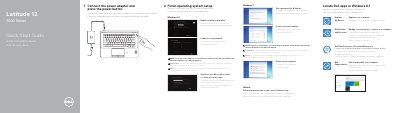
Dell Latitude 12 7000 Series (7270/E7270) Quick Start Guide
This quick start guide covers initial setup for Dell Latitude 12 7000 Series (7270/E7270) laptops, including connecting the power adapter, powering on, locating Dell apps, registering the device, backup and recovery, data protection, and Dell SupportAssist.
It also explains how to finish operating system setup for Windows 8.1, Windows 7, or Ubuntu, identifies external features and ports, lists product support and manual resources, and provides regulatory and safety information.
Dell E7270) specifications
| Chipset | Skylake |
|---|---|
| DRAM Bus Width | 64 bit |
| PCIe Bus Frequency | 100 MHz |
| DMI Speed | 3.0 (8GT/s) |
| Processor Types | Intel Core i3 / i5 / i7 |
| L2 Cache | 3 MB and 4 MB |
| Memory Slots | Two SODIMM slots |
| Minimum Memory | 4 GB |
| Maximum Memory | 16 GB |
All Dell E7270) documents by type
Day-to-day operation, settings and troubleshooting. Start here if the product is already set up.
The shortest path to a working setup, usually only a few pages.
Questions answered in these manuals
Can I remove the SIM card while the computer is on?
No, removing the SIM card while the computer is on may cause data loss or damage to the card. Ensure the computer is off.
What safety steps must be taken before removing internal components?
You must read the safety instructions, ensure the work surface is flat and clean, close the computer, disconnect all network cables, unplug the computer and connected devices from the power outlet, and discharge static electricity by holding the power button.
How do I finish Ubuntu setup?
Follow the instructions shown on the screen to finish setup.
From: Dell Latitude 12 7000 Series (7270/E7270) Quick Start Guide
Where can I find product support and manuals?
Dell lists product support and manuals at Dell.com/support and Dell.com/support/manuals.
From: Dell Latitude 12 7000 Series (7270/E7270) Quick Start Guide
What tools are required for component replacement?
The procedures require a small flat blade screwdriver, a Phillips #1 screwdriver, a small plastic scribe, and a hex screwdriver.
How do I force-shutdown the system?
Press and hold the power button for five seconds to force-shutdown the system.