
Key facts
Start here
Latitude 13 7000 Series Quick Start Guide
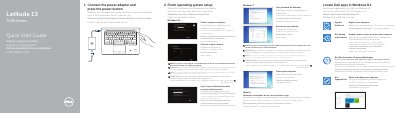
This guide helps set up the Dell Latitude 7370 by connecting the power adapter, pressing the power button, and finishing Windows 8.1 or Ubuntu setup. It also covers enabling security and updates, connecting to a network, signing in to a Microsoft account, and locating Dell apps.
The document lists product features including the security-cable slot, USB 3.0 and USB Type C connectors, card readers, fingerprint reader, camera, and speakers. It identifies the regulatory model as P67G, regulatory type as P67G001, and computer model as Latitude 7370.
Dell Latitude 7370 specifications
| USB 3.0 connector | Included |
|---|---|
| USB Type C connectors | 2 |
| Micro HDMI connector | Included |
| Fingerprint reader | Optional |
| Micro SD card reader | Included |
All Dell Latitude 7370 documents by type
The shortest path to a working setup, usually only a few pages.
- Latitude 13 7000 Series Quick Start Guide 2 p
- Dell Latitude 13 7000 Series Quick Start Guide 2 p
- Dell Latitude 13 7000 Series (Latitude 7370) Notebook Quick Start Guide 2 p
- Dell Latitude 13 7000 Series (7370) Quick Start Guide 2 p
- Dell Latitude 13 7000 Series Notebook Quick Start Guide 2 p
- Dell Latitude 13 7000 Series Computer Quick Start Guide 2 p
Day-to-day operation, settings and troubleshooting. Start here if the product is already set up.
Disassembly, diagnostics and part numbers, for repair.
Questions answered in these manuals
How do I start the computer?
Connect the power adapter and press the power button.
What do I need to enter when connecting to a secured wireless network?
Enter the password for the wireless network access when prompted.
What is the first step to start using the Latitude 7370?
You must connect the power adapter and press the power button.
What should you do if connecting to a secured wireless network?
Enter the password for the wireless network access when prompted.
What tools are recommended for removing and installing components?
The recommended tools are a small flathead screwdriver, a Phillips screwdriver, and a plastic pointed instrument.
What safety warning applies before opening the computer?
You must disconnect all power sources before opening covers or panels to avoid damage to the equipment or personal injury.