
Key facts
- Brand
- DELL
- Model
- XPS One 2710
- Category
- All-in-One Desktops
- Documents
- 4
- Languages
- ES · EN · ZH
- Last added
- 2023-11-25
Start here
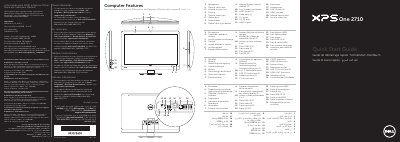
Dell XPS One 2710 Quick Start Guide
This guide helps you set up your Dell XPS One 2710 computer. It includes instructions for connecting power, setting up wireless peripherals, recording your Windows password, and locating your service tag. The guide is multilingual, supporting Spanish, French, German, Italian, and other languages.
The computer features a microphone, camera, optical drive, USB 3.0 ports, HDMI ports, and infrared ports. It also includes a security cable slot and network port for connectivity. This manual is written in Spanish.
Dell XPS One 2710 specifications
| Regulatory Model Number | W06C |
|---|---|
| Input Voltage | 100 to 240 VAC |
| Input Frequency | 50 Hz/60 Hz |
| Output Current | 3.6 A |
| Product Type | All-in-one Computer |
All Dell XPS One 2710 documents by type
The shortest path to a working setup, usually only a few pages.
Disassembly, diagnostics and part numbers, for repair.
Questions answered in these manuals
How do I connect the power cable?
Connect the power cable to the power port on the back of the computer.
What ports are available on the computer?
The computer has USB 3.0 ports, HDMI-in and HDMI-out ports, TV-in port, S/P DIF port, network port, and infrared ports.
Where can I find detailed safety information?
Read the safety information that was sent with the equipment.
What is the regulatory model number for this device?
The regulatory model number is W06C.
How do I clear a forgotten password on the Dell XPS One 2710?
Remove the rear cover and system board shield, move the password reset jumper from pins 2-3 to pins 1-2 for about five seconds, then return it and reinstall the parts.
How do I clear CMOS settings?
Remove the rear cover and system board shield, move the CMOS reset jumper from pins 2-3 to pins 1-2 for about five seconds, then return it and reinstall the parts.