
Key facts
Start here
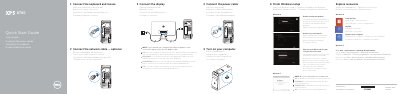
Dell XPS 8700 Desktop Quick Start Guide
This Dell quick start guide helps users set up the XPS 8700 desktop computer. It covers connecting the keyboard, mouse, display, power cable, and optional network cable, then turning on the computer.
The guide also explains finishing Windows setup, enabling security and updates, signing in to a Microsoft account, and connecting to a network. Product feature locations and Dell support information are included.
Dell XPS 8700 specifications
| USB 3.0 ports | 2 |
|---|---|
| USB 2.0 ports | 2 |
| USB 3.0 ports | 4 |
| Audio ports | 6 |
| Expansion-card slots | 4 |
All Dell XPS 8700 documents by type
The shortest path to a working setup, usually only a few pages.
Disassembly, diagnostics and part numbers, for repair.
Questions answered in these manuals
How do I connect the keyboard and mouse?
Connect the keyboard and mouse to the computer.
Is connecting the network cable optional?
Yes, connecting the network cable is optional.
What tools are required for internal maintenance?
The procedures may require a cross-head screwdriver and a plastic pry tool.
How do I reset a forgotten password?
Remove the cover, move the PSWD jumper from pins 2-3 to pins 1-2, wait five seconds, then return it to pins 2-3.
Where should I connect the display if the computer has a discrete graphics card?
Connect the display to the discrete graphics card.
Can I use an @ symbol in my password?
No, do not use the @ symbol in your password.