
Key facts
- Brand
- DELL
- Model
- Inspiron 24 7000 Series
- Category
- All-in-One Desktops
- Documents
- 5
- Languages
- EN · MUL · FR · ES
- Last added
- 2023-11-20
Start here
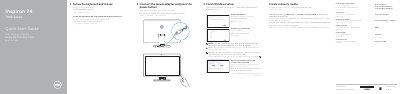
Dell Inspiron 24 7000 Series Quick Start Guide
This document serves as a multilingual Quick Start Guide for the Dell Inspiron 24 7000 Series. It provides instructions for setting up the keyboard and mouse, connecting the power adapter, and completing the initial Windows setup process. The guide includes specific notes for connecting to secured wireless networks and creating recovery media.
Read onlineDell Inspiron 24 7000 Series specifications
| Input Voltage | 100 V CA-240 V CA |
|---|---|
| Input Frequency | 50 Hz-60 Hz |
| Output Voltage | 19,50 V DC |
All Dell Inspiron 24 7000 Series documents by type
The shortest path to a working setup, usually only a few pages.
Disassembly, diagnostics and part numbers, for repair.
Questions answered in these manuals
How many USB 3.0 ports are on the front of the computer?
There are two USB 3.0 ports on the front of the computer.
How do I connect to a secured wireless network?
Enter the password for the wireless network access when prompted.
What is the purpose of the Tilt Incliner?
It allows the screen to be tilted.
How do I create recovery media?
In Windows search, type Recovery, click Create a recovery media, and follow the instructions on the screen.
What should I do when connecting to a secured wireless network?
Enter the password for the wireless network access when prompted.
What are the safety precautions before working inside the computer?
Disconnect all power sources before opening the computer cover or panels, and ground yourself by touching an unpainted metal surface to dissipate static electricity.