
Key facts
Start here
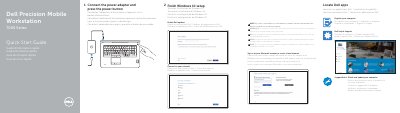
Dell Precision Mobile Workstation 7000 Series Quick Start Guide
This document serves as a Quick Start Guide for the Dell Precision 7710 Mobile Workstation. It provides initial setup instructions, including connecting the power adapter, updating the system via SupportAssist, registering the computer, and completing the Windows 10 setup process. Users are advised to enter wireless network passwords if prompted during connection.
Read onlineDell Precision 7710 specifications
| Product Model | Dell Precision 7710 |
|---|---|
| Operating System | Windows 10 |
| Manufactured in | China |
Source: Dell Precision Mobile Workstation 7000 Series Quick Start Guide
All Dell Precision 7710 documents by type
The shortest path to a working setup, usually only a few pages.
- Dell Precision Mobile Workstation 7000 Series Quick Start Guide 2 p
- Dell Precision Mobile Workstation 7000 Series Quick Start Guide 2 p
- Dell Precision Mobile Workstation 7000 Series Quick Start Guide 2 p
- Dell Precision Mobile Workstation 7000 Series Quick Start Guide 2 p
- Dell Precision Mobile Workstation 7000 Series Quick Start Guide 2 p
- Dell Precision 7710 Mobile Workstation 7000 Series Quick Start Guide 2 p
Questions answered in these manuals
What should I do if I connect to a secured wireless network?
Enter the password for the wireless network access when prompted.
From: Dell Precision Mobile Workstation 7000 Series Quick Start Guide
How do I update my computer?
Use the SupportAssist tool to check and update your computer.
From: Dell Precision Mobile Workstation 7000 Series Quick Start Guide
What should I do if I connect to a secured wireless network?
Enter the password for the wireless network access when prompted.
From: Dell Precision Mobile Workstation 7000 Series Quick Start Guide
How do I register my computer?
Use the 'Register your computer' section in the guide to complete the registration process.
From: Dell Precision Mobile Workstation 7000 Series Quick Start Guide
What is the first step to start using the Dell Precision 7710?
Connect the power adapter and press the power button.
From: Dell Precision Mobile Workstation 7000 Series Quick Start Guide
What should you do if connecting to a secured wireless network?
Enter the password for the wireless network access when prompted.
From: Dell Precision Mobile Workstation 7000 Series Quick Start Guide