
Key facts
Start here
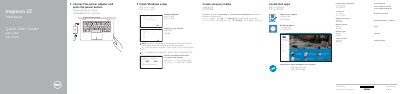
Inspiron 13 7000 Series Quick Start Guide
This guide helps you set up your Dell Inspiron 13-7353 laptop, connect to a network, and create recovery media. It includes instructions for enabling Dell updates, signing in to your Microsoft account, and locating Dell apps. The guide also shows the device’s ports and features, including USB 3.0, HDMI, and audio controls.
Read onlineDell Inspiron 13–7353 specifications
| Computer model | Inspiron 13-7353 |
|---|---|
| USB port with PowerShare | USB 3.0 port with PowerShare |
| HDMI port | HDMI port |
| Headset port | Headset port |
| Media-card reader | Media-card reader |
| Ambient-light sensor | Ambient-light sensor |
| Power adapter input voltage | 100-240 V AC |
| Power adapter input frequency | 50-60 Hz |
| Power adapter input current | 1.30 A |
| Power adapter output voltage | 19.50 V DC |
| Power adapter output current | 2.31 A |
Source: Dell Inspiron 13 7000 Series Notebook Quick Start Guide
All Dell Inspiron 13–7353 documents by type
The shortest path to a working setup, usually only a few pages.
Disassembly, diagnostics and part numbers, for repair.
Questions answered in these manuals
How do you create recovery media for this computer?
In Windows search, type Recovery, click Create a recovery media, and follow the instructions on the screen.
How do I create recovery media?
In Windows search, type Recovery, click Create a recovery media, and follow the instructions on the screen.
From: Dell Inspiron 13 7000 Series Notebook Quick Start Guide
Where can I find more specifications?
See Specifications at Dell.com/support.
From: Dell Inspiron 13 7000 Series Notebook Quick Start Guide
What computer model is covered by this service manual?
It covers the Inspiron 13–7353 computer model (regulatory model P57G).
From: Dell Inspiron 13 7000 Series Inspiron 13–7353 Service Manual
How do you flash the BIOS?
Go to www.dell.com/support, enter the Service Tag, download the latest BIOS file, and run it.
From: Dell Inspiron 13 7000 Series Inspiron 13–7353 Service Manual
What operating systems does this manual cover for shutting down the computer?
The manual provides specific shutdown instructions for Windows 10, Windows 8.1, and Windows 7.
From: Dell Inspiron 13 7000 Series (Inspiron 13-7353) Service Manual