
Key facts
Start here
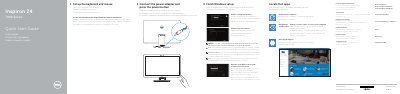
Inspiron 24 7000 Series Quick Start Guide
This guide helps you set up your Dell Inspiron 24-7459 computer quickly. It covers connecting peripherals, completing Windows setup, and connecting to a network. The guide also lists the device’s ports and features, including USB 3.0, HDMI, and Intel RealSense 3D camera support.
The guide is multilingual, supporting Dutch, German, and Italian, and includes regulatory compliance information and service tag details for support.
Dell Inspiron 24-7459 specifications
| Computer model | Inspiron 24-7459 |
|---|---|
| USB 3.0 port | supports fast charging |
| USB 3.0 ports | 2 |
| USB 2.0 ports | 2 |
| HDMI-out port | 1 |
| HDMI-in port | 1 |
All Dell Inspiron 24-7459 documents by type
The shortest path to a working setup, usually only a few pages.
Day-to-day operation, settings and troubleshooting. Start here if the product is already set up.
Disassembly, diagnostics and part numbers, for repair.
Questions answered in these manuals
What computer model is listed in this guide?
The listed computer model is Inspiron 24-7459.
Is the Intel RealSense 3D Camera standard or optional?
It is optional.
How do I create recovery media?
In Windows search, type Recovery, click Create a recovery media, and follow the instructions on the screen.
What do I do for a secured wireless network?
Enter the password for the wireless network access when prompted.
What should I do if I am connecting to a secured wireless network?
Enter the password for the wireless network access when prompted.
How many USB 3.0 ports are included on the front of the computer?
There are two USB 3.0 ports located on the front of the computer.