
Key facts
Start here
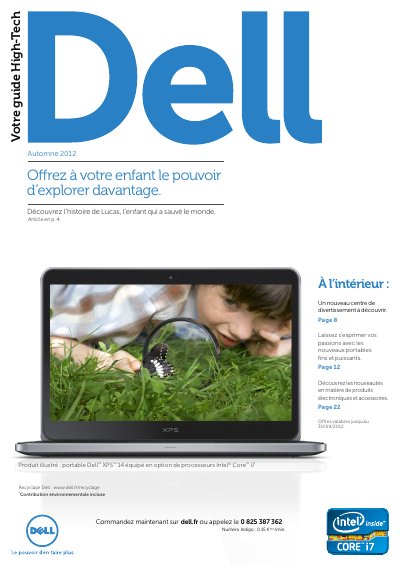
Dell Inspiron 15R and 17R Special Edition Product Leaflet
This document is a promotional leaflet for the Dell Inspiron 15R and 17R Special Edition laptops. It highlights the devices' aluminum finish, advanced multimedia capabilities, and performance features powered by Intel Core processors of the 3rd generation. The text emphasizes the laptop's suitability for entertainment and creative tasks. This manual is written in French.
Read onlineDell Inspiron 15R specifications
| Screen Size (15R) | 40 cm (15.6") |
|---|---|
| Screen Size (17R) | 44 cm (17.3") |
| Processor | Intel Core i5 or i7 3rd Gen |
| Graphics | Separate NVIDIA graphics card |
| Display Resolution | Full HD 1080p |
| Audio | Skullcandy speakers |
| Keyboard | Backlit keyboard |
Source: Dell Inspiron 15R and 17R Special Edition Product Leaflet
All Dell Inspiron 15R documents by type
Disassembly, diagnostics and part numbers, for repair.
- Dell Inspiron 15R/M521R Service Manual 84 p
- Dell Inspiron 15R/M521R (5520/7520/5525) User Manual 84 p
- Dell Inspiron 15R Computer User Manual 76 p
- Dell Inspiron 15R (5520/7520) Laptop Service Manual 76 p
- Dell Inspiron 15R/M521R (5520/7520/5525) Computer Owner's Manual 84 p
- Dell Inspiron 15R Owner's Manual 84 p
- Dell Inspiron 15R Laptop User Manual 84 p
- Dell Inspiron 15R Service Manual 84 p
Questions answered in these manuals
What is the screen size of the Inspiron 15R Special Edition?
40 cm (15.6").
From: Dell Inspiron 15R and 17R Special Edition Product Leaflet
What is the screen size of the Inspiron 17R Special Edition?
44 cm (17.3").
From: Dell Inspiron 15R and 17R Special Edition Product Leaflet
What tools are recommended for servicing?
A Phillips screwdriver, a plastic scribe, and a small flat-blade screwdriver.
What should be done after working inside the computer?
Reinstall all screws, reconnect removed devices and cables, connect the computer and devices to power, and follow the post-service steps.
Which computer models does this manual cover?
It covers the Inspiron 5520/7520 (regulatory model P25F).
How do I shut down the computer?
Save and close all open files and exit all open programs, then click Start and Shut down.