
Key facts
Start here
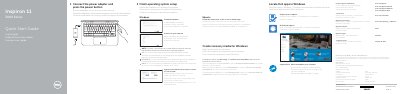
Dell Inspiron 11 3000 Series (11-3162) Quick Start Guide
This guide shows how to connect the power adapter, finish operating system setup, enable Dell updates, connect to a network, and sign in to a Microsoft account or create a local account.
It also identifies the laptop's features and shortcut keys, lists support and manual resources, and provides regulatory and safety information.
Dell Inspiron 11 3000 specifications
| Computer model | Inspiron 11–3162 |
|---|---|
| Regulatory model | P24T |
| Regulatory type | P24T001 |
All Dell Inspiron 11 3000 documents by type
Day-to-day operation, settings and troubleshooting. Start here if the product is already set up.
Disassembly, diagnostics and part numbers, for repair.
- Dell Inspiron 11 3000 Notebook Service Manual 67 p
- Dell Inspiron 11 3000 Service Manual 108 p
- Dell Inspiron 11 3000 Series Service Manual 85 p
- Dell Inspiron 11 3000 Series Service Manual 91 p
- Dell Inspiron 11 3000 Series Service Manual 87 p
- Dell Inspiron 11 3000 Service Manual 137 p
- Dell Inspiron 11 3000 Series Inspiron 11–3162 Laptop Service Manual 90 p
- Dell Inspiron 11 3000 Service Manual 89 p
The shortest path to a working setup, usually only a few pages.
Questions answered in these manuals
What is the minimum USB flash drive capacity required to create a Windows recovery drive?
You need an empty USB flash drive with a minimum capacity of 16 GB.
What are the minimum system requirements for reinstalling Windows using a recovery drive?
Your computer must have more than 2 GB of memory and more than 32 GB of storage space.
What tools are recommended before working inside the computer?
A cross-head screwdriver, a flat-head screwdriver, and a plastic scribe.
What should I do before working inside the computer?
Save and close all open files, shut down the computer, disconnect power and peripherals, and remove memory cards or optical discs if needed.
What is the computer model number?
The computer model is Inspiron 3180.
What must be done before opening the computer cover?
Disconnect all power before opening the computer cover or panels.