
Key facts
- Brand
- DELL
- Model
- ML6000
- Category
- Storage Disk
- Documents
- 15
- Languages
- ES · ZH · JA · EN
- Last added
- 2023-11-24
Start here
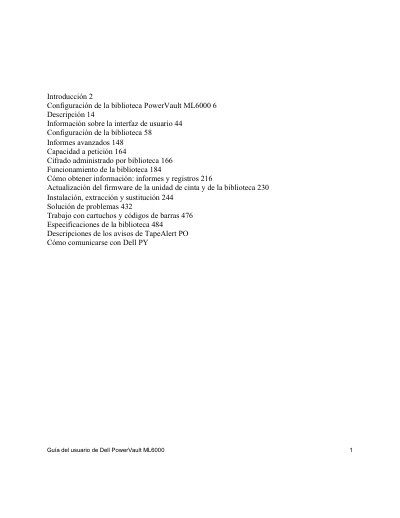
Dell PowerVault ML6000 Tape Library User's Guide
This manual provides instructions for the administration and normal operation of the Dell PowerVault ML6000 tape library. It is intended for anyone interested in learning how the library functions or who needs to know how to install, configure, and manage it. Administrator privileges are required for many of the functions described in this guide.
The document details the setup process, including unpacking, rack mounting, and configuration. It also covers advanced topics such as generating reports, managing on-demand capacity, and library encryption. Additionally, it includes troubleshooting procedures and instructions for working with cartridges and barcodes. This manual is written in Spanish.
Dell ML6000 specifications
| ML6010 CM configuration | 5U library control module |
|---|---|
| ML6020 CM configuration | One 5U control module plus one 9U expansion module (14U total) |
| ML6030 CM configuration | One 5U control module plus two 9U expansion modules (23U total) |
| ML6030 CM expansion option | Plus one 9U expansion module (32U total) |
| 5U control module weight | Approximately 27.2 kg (60 lbs) without tape drives, cartridges, or power supplies |
| 9U expansion module weight | More than 29.5 kg (65 lbs) without tape drives, cartridges, or power supplies |
| Power supply type | Only the type marked on the product label |
All Dell ML6000 documents by type
Day-to-day operation, settings and troubleshooting. Start here if the product is already set up.
- Dell PowerVault ML6000 Tape Library User Guide 236 p
- Dell PowerVault ML6000 Tape Library User's Guide 202 p
- Dell PowerVault ML6000 Tape Library User's Guide 225 p
- Dell PowerVault ML6000 Getting Started Guide 68 p
- Dell PowerVault ML6000 Tape Library User's Guide 216 p
- Dell PowerVault ML6000 Getting Started Guide 28 p
- Dell PowerVault ML6000 Getting Started Guide 134 p
- Dell PowerVault ML6000 Getting Started Guide 134 p
- Dell PowerVault ML6000 Tape Library User's Guide 508 p
- Dell PowerVault ML6000 User's Guide 508 p
- Dell PowerVault ML6000 Getting Started Guide 134 p
- Dell PowerVault ML6000 Getting Started Guide 134 p
- Dell PowerVault ML6000 Getting Started Guide 56 p
- Dell PowerVault ML6000 Tape Library User's Guide 438 p
Disassembly, diagnostics and part numbers, for repair.
Questions answered in these manuals
What is this manual for?
It contains information and instructions needed to administer and operate the PowerVault ML6000 tape library.
Who needs administrator privileges?
Administrator-level privileges are required to configure many of the functions described in the manual.
What configurations are supported for the PowerVault ML6000 media library?
Supported configurations include the ML6010 CM 5U control module, the ML6020 CM with one 9U expansion module, and the ML6030 CM with two 9U expansion modules, which can be further expanded with additional ML6000 EM modules.
What are the initial administrator login ID and password?
The initial administrator login ID is admin and the password is password.
What is the weight of the 5U library control module?
It weighs approximately 27.2 kg (60 lbs) without tape drives, cartridges, or power supplies.
What configurations does the PowerVault ML6000 support?
It supports ML6010, ML6020, and ML6030 configurations using 5U control modules and 9U expansion modules.