
Key facts
Start here
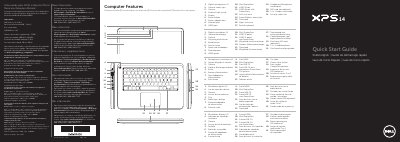
Dell XPS L421X Computer Quick Start Guide
This document is a multilingual quick start guide for the Dell XPS L421X computer. It lists computer features and provides setup steps such as connecting the network cable and power adapter, installing an optional SIM card, pressing the power button, and completing Windows setup.
It also includes function-key descriptions, wireless-status checks, password-recording notes, and regulatory information. The listed regulatory model is P30G, with an input voltage range of 100 VCA to 240 VCA.
Dell XPS L421X specifications
| Regulatory model | P30G |
|---|---|
| Type | P30G001 |
| Computer model | XPS L421X |
| Input voltage | 100 VCA–240 VCA |
| Input current (maximum) | 1,70 A |
| Input frequency | 50 Hz–60 Hz |
All Dell XPS L421X documents by type
Disassembly, diagnostics and part numbers, for repair.
The shortest path to a working setup, usually only a few pages.
Day-to-day operation, settings and troubleshooting. Start here if the product is already set up.
Questions answered in these manuals
What tools are required to perform the procedures in this manual?
The procedures may require a Phillips screwdriver and a Torx number 5 (T5) screwdriver.
How many screws secure the palm rest to the screen hinges?
Six screws secure the palm rest to the screen hinges.
What tools are required to perform the procedures in this manual?
You need a plus driver and a Torx T5 driver to complete the operations described.
What steps must be taken before starting work on the computer?
You must save and close all open files, end all running programs, shut down the computer, and disconnect all power and cables.
What tools are required for the procedures in this manual?
The procedures may require a Phillips screwdriver and a Torx #5 (T5) screwdriver.
Where can I find the Service Tag for my computer?
The Service Tag is located on a label beneath the system badge at the back of your computer.