
Key facts
Start here
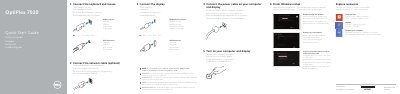
Dell OptiPlex 7020 Quick Start Guide
This document is the Quick Start Guide for the Dell OptiPlex 7020 computer. It provides multilingual instructions for connecting the network cable, keyboard, mouse, and display, as well as connecting the power cable and turning on the device. The guide also covers completing the Windows setup, enabling security updates, connecting to a network, and registering the computer with Dell.
Read onlineDell OptiPlex 7020 specifications
| Thermal sensor connector | 2-pin connector |
|---|---|
| CPU fan connector | 5-pin connector |
| Power supply connector | 8-pin, 4-pin, and 6-pin connectors |
All Dell OptiPlex 7020 documents by type
Day-to-day operation, settings and troubleshooting. Start here if the product is already set up.
The shortest path to a working setup, usually only a few pages.
Disassembly, diagnostics and part numbers, for repair.
Questions answered in these manuals
What indicates the computer is on?
A solid white light on the power button indicates the computer is on.
What does a blinking white hard drive light mean?
A blinking white light indicates the computer is reading or writing data to the hard drive.
Where should I connect the display if the computer has a discrete graphics card?
If the computer was ordered with a discrete graphics card, the display should be connected directly to that card.
Where should the display be connected if the computer has a discrete graphics card?
If the computer was ordered with a discrete graphics card, connect the display to that card.
What should I do if I ordered the computer with a discrete graphics card?
You should connect the display to the discrete graphics card.
Where can I find product support and manuals?
You can find them at dell.com/support and dell.com/windows8.