
Key facts
Start here
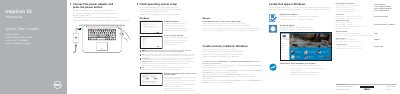
Inspiron 15 7000 Series Quick Start Guide
This guide helps you set up your Dell Inspiron 7548 laptop. Connect the power adapter and press the power button to start. Follow on-screen instructions to complete operating system setup. Configure your network, sign in to your Microsoft or local account, and enable Dell updates. The guide also details port locations and shortcut keys for basic operations.
The guide includes multilingual instructions for connecting to a secured wireless network, creating recovery media, and using system features like volume control and display switching.
Dell Inspiron 7548 specifications
| Computer model | Inspiron 7548 |
|---|---|
| Regulatory model | P41F |
| Regulatory type | P41F001 |
| Series | Inspiron 15 7000 Series |
| Document revision | 2014 - 11 Rev. A00 |
Source: Dell Inspiron 15 7000 Series Inspiron 7548 Service Manual
All Dell Inspiron 7548 documents by type
Disassembly, diagnostics and part numbers, for repair.
The shortest path to a working setup, usually only a few pages.
Questions answered in these manuals
Which computer models does this service manual cover?
It covers the Inspiron 15 7000 Series, computer model Inspiron 7548, regulatory model P41F and regulatory type P41F001.
From: Dell Inspiron 15 7000 Series Inspiron 7548 Service Manual
What should be done before working inside the computer?
Save and close open files, end running programs, shut down the computer, disconnect power and all cables, and remove attached devices, media cards, and optical discs.
From: Dell Inspiron 15 7000 Series Inspiron 7548 Service Manual
Where can I find safety information before working on the computer?
Read the safety information provided with the computer before intervening.
From: Dell Inspiron 15 7000 Series Notebook Computer Service Manual
What tools are recommended for this maintenance?
A Phillips screwdriver and a plastic point are recommended.
From: Dell Inspiron 15 7000 Series Notebook Computer Service Manual
What computer models does this document cover?
It covers the Inspiron 7547 and Inspiron 7548 computer models.
What is the maximum weight of the laptop?
The maximum weight is 2.20 kg (4.85 lb), depending on configuration and manufacturing differences.