
Key facts
Start here
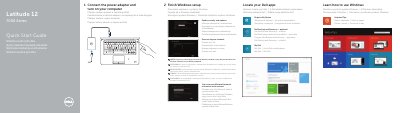
Dell Latitude 12 7000 Series (7250/E7250) Computer Quick Start Guide
This quick start guide for the Dell Latitude 12 7000 Series computer is presented in several languages. The document identifies computer model Latitude 7250/E7250, regulatory model P22S and regulatory type P22S002. It covers connecting the power adapter and turning on the computer, finishing Windows setup, locating Dell apps, registering the device, enabling security and updates, connecting to a network, and signing in with a Microsoft account or creating a local account.
The Features section uses numbered callouts for status lights, microphones, camera, security-cable slot, power button, Mini-DisplayPort, USB 3.0, headset, memory card reader, optional NFC/smart-card/fingerprint readers, touchpad, network and HDMI connectors, USB 3.0 with PowerShare, power connector, optional dock connector, service-tag label, battery release latch, battery and speakers. It also gives links for product support and manuals, contacting Dell, and regulatory and safety information.
Dell 7000 Series specifications
| Computer model | Latitude 7250/E7250 |
|---|---|
| Regulatory model | P22S |
| Regulatory type | P22S002 |
| USB | USB 3.0 with PowerShare |
| Fingerprint reader | Optional |
Source: Dell Latitude 12 7000 Series (7250/E7250) Computer Quick Start Guide
All Dell 7000 Series documents by type
Day-to-day operation, settings and troubleshooting. Start here if the product is already set up.
- Dell PowerConnect 7000 Series Switch Getting Started Guide 402 p
- Dell PowerConnect 7000 Series Switch Getting Started Guide 402 p
- Dell Inspiron 15 7000 Series Quick Start Guide 2 p
- Dell Inspiron 15-7000 Series Laptop Review 64 p
- Venue 8 7000 Series User Guide 43 p
- Dell Venue 10 7000 Series (Venue 7040) Tablet User Manual 53 p
The shortest path to a working setup, usually only a few pages.
- Dell Latitude 12 7000 Series (7250/E7250) Computer Quick Start Guide 2 p
- Dell Precision Mobile Workstation 7000 Series Quick Start Guide 2 p
- Dell Precision Mobile Workstation 7000 Series Quick Start Guide 2 p
- Dell Precision Mobile Workstation 7000 Series Quick Start Guide 2 p
- Dell Precision Mobile Workstation 7000 Series Quick Start Guide 2 p
- Dell Latitude 13 7000 Series Quick Start Guide 2 p
- Dell Inspiron 15 7000 Series (Inspiron 15-7559) Notebook Quick Start Guide 2 p
- Dell Latitude 13 7000 Series Computer Quick Start Guide 2 p
- Dell Precision 7510 Mobile Workstation 7000 Series Quick Start Guide 2 p
- Dell Inspiron 15 7000 Series Notebook Quick Start Guide 2 p
- Dell Latitude 12 7000 Series 2-in-1 (7275) Quick Start Guide 2 p
- Dell Latitude 12 7000 Series 2-in-1 Quick Start Guide 2 p
- Dell PowerConnect 7000 Series Switch Getting Started Guide 401 p
Disassembly, diagnostics and part numbers, for repair.
- Dell Inspiron 15 7000 Series (Inspiron 7548) Service Manual 61 p
- Dell Inspiron 24 7000 Series Service Manual 101 p
- Dell Inspiron 17 7000 Series Inspiron 7746 Service Manual 61 p
- Dell Inspiron 13 7000 Series Inspiron 13–7353 Service Manual 101 p
- Dell Inspiron 13 7000 Series (13-7348) Service Manual 87 p
- Dell Inspiron 15 7000 Series Service Manual 93 p
- Dell Inspiron 13 7000 Series (Inspiron 13-7353) Service Manual 93 p
- Dell Inspiron 15 7000 Series 15-7568 Laptop Service Manual 80 p
- Dell Inspiron 7548 (Inspiron 15 7000 Series) Computer Service Manual 64 p
- Dell Inspiron 17 7000 Series (Inspiron 7737) Owner's Manual 60 p
- Dell Inspiron 15 7000 Series Service Manual 64 p
- Dell Inspiron 15 7000 Series (Inspiron 15-7559) Laptop Service Manual 98 p
- Dell Inspiron 13 7000 Series Service Manual 99 p
- Dell Inspiron 24 7000 Series Inspiron 24-7459 Service Manual 109 p
- Dell Inspiron 15 7000 Series Service Manual 61 p
- Dell Inspiron 15 7000 Series Service Manual 84 p
- Dell Inspiron 15 7000 Series 2-in-1 Service Manual 141 p
- Dell Inspiron 14 7000 Series (Inspiron 7437) Notebook Service Manual 47 p
- Dell Inspiron 7437 (14 7000 Series) Owner's Manual 48 p
- Dell Inspiron 13 7000 Series Service Manual 94 p
- Dell Inspiron 13 7000 Series Laptop Service Manual 96 p
- Dell Inspiron 17 7000 Series 2-in-1 Service Manual 153 p
- Dell Inspiron 15 7000 Series Service Manual 71 p
- Dell Inspiron 13 7000 Series Service Manual 97 p
- Dell Inspiron 13 7000 Series Service Manual 98 p
- Dell Inspiron 15 7000 Series (Inspiron 7537) Laptop Service Manual 75 p
- Dell Inspiron 13 7000 Series Service Manual 94 p
Questions answered in these manuals
What are the regulatory models included in this guide?
The guide covers models PC7024, PC7024P, PC7024F, PC7048, PC7048P, PC7048R, and PC7048R-RA.
From: Dell PowerConnect 7000 Series Switch Getting Started Guide
How do I find the IP address assigned via DHCP?
Use the console port to issue the command 'show interface out-of-band' or 'show interface ip'.
From: Dell PowerConnect 7000 Series Switch Getting Started Guide
What is the first setup step?
Connect the power adapter and turn on your computer.
From: Dell Latitude 12 7000 Series (7250/E7250) Computer Quick Start Guide
What should I do when connecting to a secured wireless network?
Enter the password for the wireless network access when prompted.
From: Dell Latitude 12 7000 Series (7250/E7250) Computer Quick Start Guide
How do I save the initial configuration?
Enter (Y) to save the configuration and copy the settings to the start-up configuration file.
From: Dell PowerConnect 7000 Series Switch Getting Started Guide
What are the physical dimensions of the PowerConnect 7000 Series switches?
All models in the series are 1U rack mountable switches with dimensions of 440 x 460 x 44 mm (W x D x H) or 17.3 x 18.1 x 1.7 inch (W x D x H).
From: Dell PowerConnect 7000 Series Switch Getting Started Guide