
Key facts
Start here
Inspiron 15 7000 Series
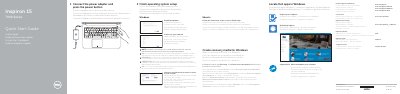
The Dell Inspiron 15-7559 Quick Start Guide provides essential instructions for setting up the laptop, including connecting power, configuring the operating system, and connecting to a network.
It includes a detailed map of the device's hardware features, such as USB 3.0 ports, HDMI, and the media card reader, as well as a guide to the keyboard's function shortcut keys.
Dell Inspiron 15-7559 specifications
| Power adapter input voltage | 100-240 V AC |
|---|---|
| Power adapter input frequency | 50-60 Hz |
| Power adapter input current | 2.50 A |
| Power adapter output voltage | 19.50 V DC |
| Power adapter output current | 6.70 A |
| Regulatory model | P57F |
| Computer model | Inspiron 15-7559 |
Source: Dell Inspiron 15 7000 Series (15-7559) Notebook Quick Start Guide
All Dell Inspiron 15-7559 documents by type
The shortest path to a working setup, usually only a few pages.
Day-to-day operation, settings and troubleshooting. Start here if the product is already set up.
Disassembly, diagnostics and part numbers, for repair.
Questions answered in these manuals
How do I create recovery media for Windows?
In Windows search, type Recovery, click Create a recovery media, and follow the on-screen instructions.
From: Inspiron 15 7000 Series
What should I do if I am connecting to a secured wireless network?
Enter the password for the wireless network access when prompted.
From: Inspiron 15 7000 Series
What steps are required to connect to a secured wireless network?
You must enter the password for the wireless network access when prompted.
How do I create recovery media for Windows?
In Windows search, type Recovery, click Create a recovery media, and follow the instructions on the screen.
How do I finish operating system setup?
Follow the instructions on the screen to finish setup.
From: Dell Inspiron 15 7000 Series (15-7559) Notebook Quick Start Guide
How do I create recovery media for Windows?
In Windows search, type Recovery, click Create a recovery media, and follow the instructions on the screen.
From: Dell Inspiron 15 7000 Series (15-7559) Notebook Quick Start Guide