
Key facts
Start here
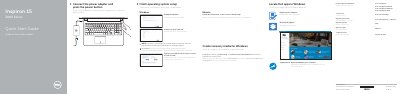
Dell Inspiron 15 3000 Series Quick Start Guide
This document serves as a Quick Start Guide for the Dell Inspiron 15 3000 Series laptop. It outlines the initial steps to get the device running, including connecting the power adapter, pressing the power button, and configuring the operating system (Windows, Ubuntu, or Linux). It also instructs users on how to register the computer, enable updates, and connect to a network.
Read onlineDell Inspiron 15 3000 Series specifications
| Input Voltage | 100 V CA–240 V CA |
|---|---|
| Input Frequency | 50 Hz–60 Hz |
| Input Current | 1,30 A/1,60 A/1,70 A |
| Output Voltage | 19,50 V DC |
| Output Current | 2,31 A/3,34 A |
All Dell Inspiron 15 3000 Series documents by type
Disassembly, diagnostics and part numbers, for repair.
- Dell Inspiron 15 3000 Series Service Manual 79 p
- Dell Inspiron 15 3000 Series Computer Service Manual 96 p
- Dell Inspiron 15 3000 Series Laptop Service Manual 81 p
- Dell Inspiron 15 3000 Series Service Manual 108 p
- Dell Inspiron 15 3000 Series Service Manual 91 p
- Dell Inspiron 15 3000 Series Service Manual (With Optical Drive) 77 p
- Dell Inspiron 15 3000 Series Service Manual 96 p
- Dell Inspiron 15 3000 Series Service Manual 92 p
- Dell Inspiron 15 3000 Series 3541/3542 Laptop Service Manual 105 p
- Dell Inspiron 15 3000 Series 3552 Service Manual (With Optical Drive) 106 p
- Dell Inspiron 15 3000 Series Laptop User Manual 105 p
- Dell Inspiron 15 3000 Series Service Manual 99 p
- Dell Inspiron 15 3000 Series Service Manual 97 p
The shortest path to a working setup, usually only a few pages.
- Dell Inspiron 15 3000 Series Quick Start Guide 2 p
- Dell Inspiron 15 3000 Series Quick Start Guide 2 p
- Dell Inspiron P40F Laptop Quick Start Guide 2 p
- Dell Inspiron 15 3000 Series Quick Start Guide 2 p
- Dell Inspiron 15 3000 Series Quick Start Guide 2 p
- Dell Inspiron 15 3000 Series Quick Start Guide 2 p
- Dell Inspiron 15 3000 Series Quick Start Guide 2 p
- Dell Inspiron 15 3000 Series Quick Start Guide 2 p
- Dell Inspiron 15 3000 Series Quick Start Guide 2 p
- Dell Inspiron 15 3000 Series Computer Quick Start Guide 2 p
- Dell Inspiron 15 3000 Series Quick Start Guide 2 p
- Dell Inspiron 15 3000 Series Computer Quick Start Guide 2 p
- Dell Inspiron 15 3000 Series Laptop Quick Start Guide 2 p
- Dell Inspiron 15 3000 Series Notebook Quick Start Guide 2 p
- Dell Inspiron 15 3000 Series Quick Start Guide 2 p
- Dell Inspiron 15 3000 Series Laptop Quick Start Guide 2 p
- Dell Inspiron 15 3000 Series Laptop Quick Start Guide 2 p
- Dell Inspiron 15 3000 Series Notebook Computer Quick Start Guide 2 p
- Dell Inspiron 15 3000 Series Laptop Quick Start Guide 2 p
- Dell Inspiron 15 3000 Series Notebook Quick Start Guide 2 p
- Dell Inspiron 15 3000 Series Computer Quick Start Guide 2 p
- Dell Inspiron 15 3000 Series Quick Start Guide 2 p
- Dell Inspiron 15 3000 Series Quick Start Guide 2 p
- Dell Inspiron 15 3000 Series Quick Start Guide 2 p
Day-to-day operation, settings and troubleshooting. Start here if the product is already set up.
Questions answered in these manuals
What tools are required for service procedures?
The procedures may require a Phillips screwdriver and a plastic scribe.
How do I ground myself before working inside the computer?
Touch an unpainted metal surface, such as the metal at the back of the computer, to dissipate static electricity.
How do you start the computer?
Connect the power adapter and press the power button.
What do you do when connecting to a secured wireless network?
Enter the password for the wireless network access when prompted.
Which models are covered in this guide?
The guide covers the Inspiron 15-3551 and Inspiron 15-3558 models.
Where can I find more specifications?
For more information, see Specifications at dell.com/support.