
Key facts
Start here
Dell Display P2419H Quick Start Guide
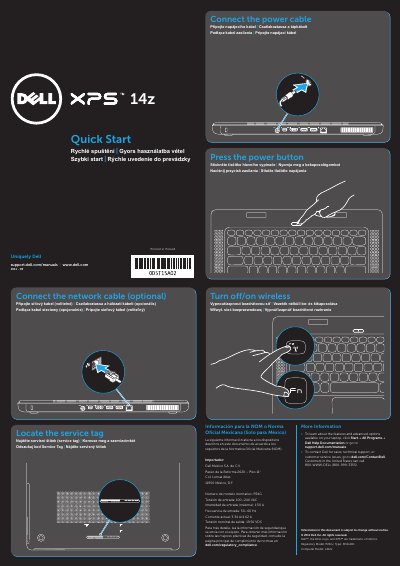
This quick start guide helps set up the Dell L412z notebook. It lists steps such as locating the service tag, connecting the power and optional network cables, and pressing the power button.
The guide also identifies notebook features and connectors, shows labeled views, and includes regulatory and contact information. It is printed in multiple languages, including English, Czech, Hungarian, Polish, and Slovak.
Dell L412z specifications
| Regulatory model | P24G |
|---|---|
| Computer model | L412z |
| Input voltage | 100-240 VAC |
| Input current (maximum) | 1.50 A |
| Input frequency | 50-60 Hz |
| Output current | 3.34 A/4.62 A |
| Output voltage | 19.50 VDC |
All Dell L412z documents by type
The shortest path to a working setup, usually only a few pages.
Disassembly, diagnostics and part numbers, for repair.
Questions answered in these manuals
What is the first setup step shown in the guide?
The guide begins by telling the user to locate the service tag.
Is connecting the network cable required?
No, the guide lists connecting the network cable as optional.
Where can I find more information about features and advanced options?
Click Start→ All Programs→ Dell Help Documentation or go to support.dell.com/manuals.
How do I contact Dell for sales or technical support?
Go to dell.com/ContactDell. Customers in the United States can call 800-WWW-DELL (800-999-3355).
What is the computer model of this Dell laptop?
The computer model is L412z.
What is the regulatory model number?
The regulatory model is P24G.