
Key facts
Start here
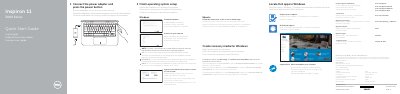
Dell Inspiron 11 3000 Series Quick Start Guide
This Dell Quick Start Guide covers initial setup for the Inspiron 11 3000 Series computer, including connecting the power adapter, turning on the device, and finishing operating system setup for Windows or Ubuntu.
It also explains how to enable Dell updates, connect to a network, sign in to a Microsoft account, create recovery media, and locate Dell apps, with feature and shortcut key diagrams on the second page.
Dell Inspiron 11–3162 specifications
| Input voltage | 100 V CA–240 V CA |
|---|---|
| Frequency | 50 Hz–60 Hz |
| Output voltage | 19,50 V CC |
| Country of origin | Made in China |
All Dell Inspiron 11–3162 documents by type
The shortest path to a working setup, usually only a few pages.
Disassembly, diagnostics and part numbers, for repair.
Questions answered in these manuals
How do I turn on the computer?
Connect the power adapter and press the power button.
How do I create recovery media for Windows?
In Windows search, type Recovery, click Create a recovery drive, and follow the instructions.
How do I create recovery media for Windows?
In Windows search, type Recovery, click Create a recovery drive, and follow the instructions on the screen.
Where can I find product support and manuals?
Visit Dell.com/support or Dell.com/support/manuals.
How do I create a recovery drive for Windows?
In Windows search, type Recovery, click Create a recovery drive, and follow the instructions on the screen.
What should I do when connecting to a secured wireless network?
Enter the password for the wireless network access when prompted.