
Key facts
- Brand
- Cisco
- Model
- SX10
- Category
- Communications equipment
- Industry
- Electronics
- Documents
- 5
- Languages
- ZH
- Last added
- 2026-11-09
Start here
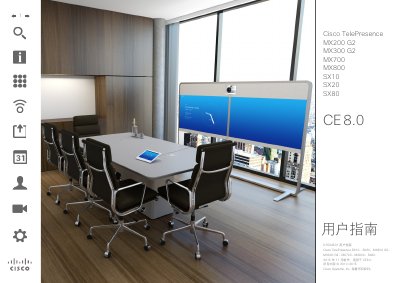
Cisco TelePresence MX200 G2 MX300 G2 MX700 MX800 SX10 SX20 SX80 CE 8.0 User Guide
This manual covers the operation of Cisco TelePresence video systems, including the MX200 G2, MX300 G2, MX700, MX800, SX10, SX20, and SX80 models running Cisco Extension (CE) 8.0. It details best practices for setting up the meeting environment, such as microphone placement and camera positioning to ensure optimal audio and video quality.
The guide provides step-by-step instructions for using the touchscreen interface to manage calls, including dialing by name, number, or IP address, handling incoming calls, and managing call features like hold, transfer, and do-not-disturb. It also covers camera controls, presentation sharing, and system administration settings. This manual is written in Chinese.
Cisco SX10 specifications
| List price | $3,990 |
|---|---|
| Participants | 1-3 participants |
| Power consumption | Maximum 12 W; standby below 8 W |
| Video standards | SIP, H.264, H.263+, H.263 |
| Display support | Single HDMI display at 1080p/60 fps |
| Camera | Integrated 1080p PTZ camera, 2.65x optical zoom, 83-degree horizontal field of view |
| Video resolution | 1080p/30 fps |
| Content sharing | 1080p/5 fps and WXGA/5 fps via HDMI and VGA inputs |
Source: Cisco SX10 TelePresence Quick Set Group Video Conferencing System Evaluation Report
All Cisco SX10 documents by type
Day-to-day operation, settings and troubleshooting. Start here if the product is already set up.
Questions answered in these manuals
What is the list price of the Cisco TelePresence SX10?
The list price is $3,990.
From: Cisco SX10 TelePresence Quick Set Group Video Conferencing System Evaluation Report
How many participants is the SX10 suited for?
It is suited for groups or small meeting rooms with 1-3 participants.
From: Cisco SX10 TelePresence Quick Set Group Video Conferencing System Evaluation Report
What is the default timeout duration for the Do Not Disturb setting?
The default timeout is 60 minutes, after which the system returns to normal operation.
What unit is used to measure call rate?
Call rate is measured in kbps, which stands for kilobits per second.
How do I make a video call on the TelePresence SX10/SX20?
Select the call button on the remote, navigate to the desired contact in the list, and press the green call button to start the video call.
How can I turn the camera video on or off?
Press the camera control icon; it turns red to indicate video is off, and pressing it again re‑activates the camera.