
Key facts
- Manuals
- 234
- Models
- 25
- Categories
- 8
- Languages
- ZH · EN · TH
- Last added
- 2026-10-03
Cisco models by category
Featured Cisco manuals

Cisco AsyncOS 9.1 Email Security User Guide
This guide provides step‑by‑step instructions for installing, configuring, and operating Cisco AsyncOS 9.1 on email security devices. It covers initial access via the web GUI or CLI, system setup, and integration with Active Directory.
The manual details mail pipeline components, host and recipient access tables, reputation filtering, content filtering, antivirus, anti‑spam, and burst‑filter features, along with troubleshooting and best‑practice recommendations. This manual is written in Chinese.
Covers: Getting Started with Email Security Appliance · Accessing the Device (GUI & CLI) · Setup and Installation · Understanding the Mail Pipeline · Configuring the Gateway to Receive Mail · Sender Reputation Filtering
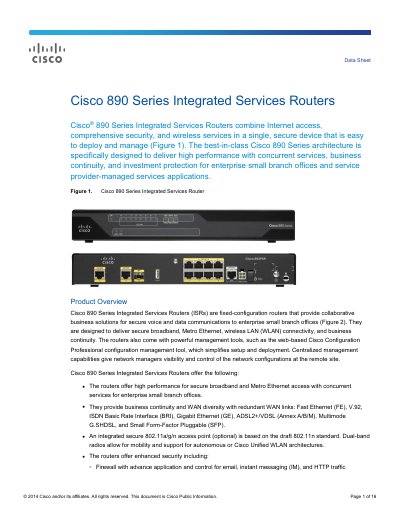
Cisco 890 Series Integrated Services Routers Data Sheet
The Cisco 890 Series Integrated Services Routers are fixed‑configuration routers designed for enterprise small branch offices and service‑provider deployments. They combine high‑performance broadband, Metro Ethernet, optional integrated 802.11a/g/n wireless, and advanced security functions such as firewall, IPS, and Cisco ScanSafe web security.
Management is simplified with web‑based Cisco Configuration Professional and optional centralized tools. The routers support a wide range of WAN interfaces, PoE‑capable managed switches, and optional USB ports for token‑based authentication and configuration backup.
Covers: Product Overview · Features and Benefits · System Specifications · Cisco IOS Software Features · xDSL and Switch Features · Security Features

Cisco ATA191 and ATA192 Analog Telephone Adapter User Manual
The Cisco ATA191 and ATA192 analog telephone adapters provide two RJ‑11 ports for connecting analog phones or fax machines and an RJ‑45 Ethernet port for network connectivity. The manual describes the hardware layout, LED indicators, and the additional Ethernet port on the ATA192 model.
It includes step‑by‑step installation instructions, configuration using the Telephone Adapter Configuration Utility, call feature setup, safety information, FCC and EU compliance statements, and troubleshooting guidance. This manual is written in Chinese.
Covers: Your ATA · Hardware Overview · Top Panel and LEDs · Rear Panel Connections · Installing the ATA · Telephone Adapter Configuration Utility
Cisco CVR100W Wireless-N VPN Router Software Release Notes 1.0.1.19
These release notes describe the Cisco CVR100W Wireless‑N VPN router software version CVR100W‑K9‑1.0.1.19. The document lists new functionality, issues that have been resolved, and known problems that remain.
Key sections include New Features, Resolved Issues, Known Issues, and a Quick Index for easy navigation. Legal and trademark information is provided at the end of the document. This manual is written in Chinese.
Covers: New Features · Resolved Issues · Known Issues · Quick Index · Legal Notice
Latest Cisco manuals
Cisco AsyncOS 9.1 Email Security User Guide
User Manual 1146 pages · 12.1 MB · ZHUser guide for Cisco AsyncOS 9.1 covering configuration, filtering, and management of email security appliances.
Cisco 890 Series Integrated Services Routers Data Sheet
Datasheet 16 pages · 964 KB · ENThe Cisco 890 Series Integrated Services Routers data sheet outlines performance, security, wireless and Metro Ethernet features for small branch offices.
Cisco ATA191 and ATA192 Analog Telephone Adapter User Manual
User Manual 30 pages · 2.4 MB · ZHUser manual for Cisco ATA191/ATA192 analog telephone adapters covering hardware, installation, configuration, safety and compliance.
Cisco CVR100W Wireless-N VPN Router Software Release Notes 1.0.1.19
Other 3 pages · 105 KB · ZHRelease notes for Cisco CVR100W Wireless‑N VPN router software version 1.0.1.19, detailing new features, fixed issues and known problems.
Cisco 8L‑E Management Engine Installation and Configuration Guide
Installation Guide 21 pages · 738 KB · ZHInstallation and configuration instructions for the Cisco Catalyst 4500 E series 8L‑E management engine.
Cisco WAP371 Wireless Access Point Quick Start Guide
Quick Start Guide 10 pages · 589 KB · ZHQuick start guide for setting up the Cisco WAP371 dual‑band wireless access point.
Cisco WAP131 Quick Start Guide
Quick Start Guide 12 pages · 302 KB · ZHQuick start guide for the Cisco WAP131 dual‑band 802.11n indoor wireless access point.
Cisco RV160 Router Quick Start Guide
Quick Start Guide 9 pages · 339 KB · ZHA quick start guide that shows how to install, power, and configure the Cisco RV160 router.
Cisco ASA Series VPN CLI Configuration Guide
User Manual 458 pages · 8.7 MB · ZHThis Cisco ASA Series VPN CLI Configuration Guide provides step‑by‑step instructions for configuring IPsec, IKE, L2TP, high‑availability, and troubleshooting.
Cisco Small Business 300 Series Managed Switch Quick Start Guide
Quick Start Guide 16 pages · 934 KB · ENQuick start guide for installing, mounting, and configuring Cisco Small Business 300 Series Managed Switches.
Cisco Firepower Application Detector Reference VDB 304
Product Leaflet 2000 pages · 13.5 MB · ZHReference guide for Cisco Firepower Application Detector VDB 304, listing supported platforms, software versions, detector types, and application entries.
Cisco VDB 299 Firepower Application Detector Reference Guide
Product Leaflet 2000 pages · 13.3 MB · ZHThe Cisco VDB 299 Firepower Application Detector Reference provides details on supported platforms, software versions, detector types, and vulnerability…
Cisco Webex Meetings User Manual
User Manual 8 pages · 1.1 MB · ENThis Cisco Webex Meetings user manual provides step‑by‑step instructions for installing, joining, and using meetings, including video, screen sharing…
Cisco Quick Reference Guide June 2008
Product Leaflet 314 pages · 4.8 MB · ZHA concise reference guide covering Cisco routers, switches, wireless, video, security and application networking products as of June 2008.
Cisco DPQ2160/EPQ2160 Cable Modem User Guide
User Manual 30 pages · 1.1 MB · ZHThis guide provides installation, setup, usage and troubleshooting instructions for the Cisco DPQ2160/EPQ2160 DOCSIS 2.0 cable modem.
Which document do I need?
User Manual
Day-to-day operation, settings and troubleshooting. Start here if the product is already set up.
Datasheet
Ratings, dimensions and ordering codes, for selection and design work.
Installation Guide
Mounting, wiring and first power-up. Read it before the hardware goes in.
Quick Start Guide
The shortest path to a working setup, usually only a few pages.
Service Manual
Disassembly, diagnostics and part numbers, for repair.
Application Note
How to use the product for one specific task, with worked examples.
Questions answered in Cisco manuals
What is the purpose of the Host Access Table (HAT)?
The HAT defines which hosts are allowed to connect to the email security device.
What WAN interfaces are supported by the Cisco 890 Series?
Supported WAN interfaces include Fast Ethernet, V.92, ISDN BRI, Gigabit Ethernet, ADSL2+/VDSL (Annex A/B/M), Multimode G.SHDSL, and Small Form‑Factor Pluggable (SFP).
From: Cisco 890 Series Integrated Services Routers Data Sheet
Do the Cisco 890 Series routers support integrated wireless?
Yes, an optional integrated 802.11a/g/n access point is available, supporting dual‑band radios and both autonomous and Cisco Unified WLAN modes.
From: Cisco 890 Series Integrated Services Routers Data Sheet
How many RJ‑11 ports does the ATA have?
The ATA provides two RJ‑11 FXS ports for analog devices.
From: Cisco ATA191 and ATA192 Analog Telephone Adapter User Manual
What does a solid green LED indicate?
A solid green LED means the system has successfully started and is ready for use.
From: Cisco ATA191 and ATA192 Analog Telephone Adapter User Manual
What new VPN capability does version 1.0.1.19 add?
It adds support for IPsec site‑to‑site VPN, allowing a single gateway‑to‑gateway VPN tunnel.
From: Cisco CVR100W Wireless-N VPN Router Software Release Notes 1.0.1.19