
Key facts
- Brand
- Cisco
- Model
- 250 Series
- Category
- Network Switches
- Industry
- Computers
- Documents
- 2
- Languages
- ZH
- Last added
- 2026-09-29
Start here
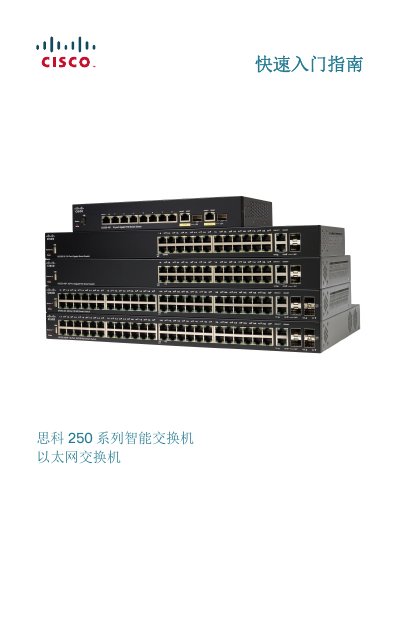
Cisco 250 Series Smart Switch Quick Start Guide
This guide introduces the Cisco 250 Series Smart Switches, showing how to unpack, mount (desktop, rack or wall), and connect the device. It includes a detailed parts list, recommended tools, and safety warnings for proper installation.
The document also explains basic network setup via the web interface, default IP settings, PoE power options, LED indicators, and troubleshooting steps such as ping tests and reset procedures. Links to Cisco support resources are provided for further assistance. This manual is written in Chinese.
Cisco 250 Series specifications
| Default IP address | 192.168.1.254 |
|---|---|
| Rack unit height | 1U (1.75 in / 44.45 mm) |
| Rack width | 19 inches (48 cm) |
| PoE power (SF250-24P) | 185 W |
| PoE power (SF250-48HP) | 195 W |
| Number of ports (SF250-24) | 24 10/100 ports |
| USB port | Present for configuration backup |
All Cisco 250 Series documents by type
The shortest path to a working setup, usually only a few pages.
Day-to-day operation, settings and troubleshooting. Start here if the product is already set up.
Questions answered in these manuals
Which Ethernet cable should I use for gigabit connections?
Cisco recommends using Category 5 (or higher) cable for gigabit links.
What wireless standards does the Aironet 1250 support?
It supports IEEE 802.11a, b, g and the 802.11n Draft 2.0 standard on both 2.4 GHz and 5 GHz bands.
From: Cisco Aironet 1250 Series Wireless Access Point User Manual
What security protocols are available on the Aironet 1250?
The access point supports WPA, WPA2 (802.11i), 802.1X, AES‑CCMP, TKIP, and multiple EAP types such as PEAP, EAP‑TLS and LEAP.
From: Cisco Aironet 1250 Series Wireless Access Point User Manual