
Key facts
Start here
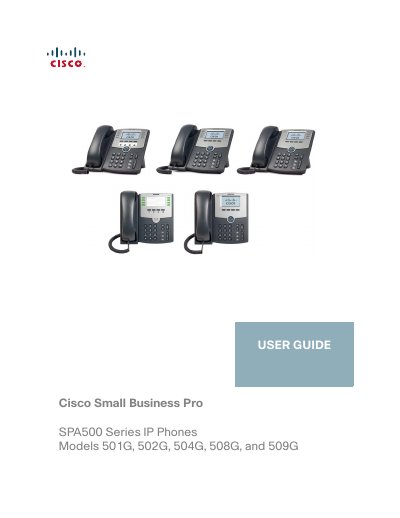
Cisco SPA500 Series IP Phone 501G/502G/504G/508G/509G User Guide
The Cisco SPA500 Series IP phones are full‑feature VoIP devices that support handset, headset, and speaker operation, Ethernet connectivity, and optional Power over Ethernet or PA‑100 adapter power. The guide provides step‑by‑step instructions for installing the phone, connecting it to the network, and configuring basic functions such as dialing, call transfer, and voicemail.
Advanced chapters cover privacy and security settings, speed‑dial configuration, paging, and the use of the SPA500S Attendant Console. The document also includes information on accessing the phone’s web interface and links to additional Cisco resources.
Cisco 508G specifications
| Screen | 128 × 64 monochrome LCD with backlight |
|---|---|
| Lines | 8 lines |
| Softkeys | 4 fixed softkeys (redial, cancel, conference, transfer) and 4 dynamic softkeys |
| Navigation Button | Four‑way navigation key |
| Power source | Power over Ethernet (PoE) or optional PA‑100 power adapter |
Source: Cisco SPA500 Series IP Phone 501G/502G/504G/508G/509G User Guide
All Cisco 508G documents by type
Day-to-day operation, settings and troubleshooting. Start here if the product is already set up.
Questions answered in these manuals
How do I park a call?
While live on a call, press the Xfer key followed by 70. The phone will announce the parking slot (e.g., 71 for Park 1).
What is the default password for voicemail?
The default password to access voicemail setup or message retrieval is 1111.
How can I power the Cisco SPA500 Series IP phone?
The phone can be powered via Power over Ethernet (PoE) from a PoE‑enabled switch, or by using an optional PA‑100 power adapter.
From: Cisco SPA500 Series IP Phone 501G/502G/504G/508G/509G User Guide
How do I configure the SPA500S Attendant Console?
Configuration is performed by the system administrator using the SPA9000 Setup Wizard or the phone’s web interface; detailed steps are provided in related Cisco administration guides.
From: Cisco SPA500 Series IP Phone 501G/502G/504G/508G/509G User Guide