
Key facts
Start here
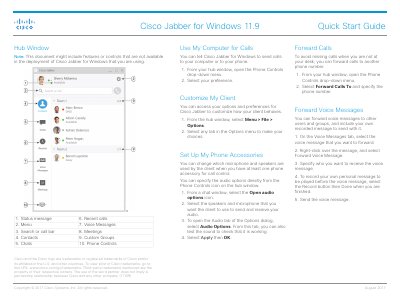
Cisco Jabber for Windows 11.9 Quick Start Guide
This document serves as a Quick Start Guide for Cisco Jabber for Windows version 11.9, published in August 2017. It outlines how to use the application's core features, including managing calls, chats, contacts, voice messages, and meetings. The guide also details how to customize the client interface and configure phone accessories for audio control.
Read onlineCisco 11.9 specifications
| Cisco Jabber version | 11.9 |
|---|---|
| iOS requirement | iOS 10 or later |
| watchOS requirement | watchOS 3 or later |
Source: Cisco Jabber 11.9 Quick Start Guide for iPhone and iPad
All Cisco 11.9 documents by type
The shortest path to a working setup, usually only a few pages.
Questions answered in these manuals
How do I start a WebEx meeting directly from a chat window?
Select the More icon in the chat window and then choose Meet Now.
How can I customize the audio options for my phone accessories?
Open the audio options icon from a chat window to select your speakers and microphone.
How do I install Cisco Jabber on my iPhone or iPad?
Open the Apple App Store and install the Cisco Jabber application.
From: Cisco Jabber 11.9 Quick Start Guide for iPhone and iPad
What software versions are required to use Cisco Jabber on an Apple Watch?
Your iPhone must run iOS 10 or later and the Apple Watch must run watchOS 3 or later.
From: Cisco Jabber 11.9 Quick Start Guide for iPhone and iPad
What new VPN capability does version 1.0.1.19 add?
It adds support for IPsec site‑to‑site VPN, allowing a single gateway‑to‑gateway VPN tunnel.
From: Cisco CVR100W Wireless-N VPN Router Software Release Notes 1.0.1.19
How can I avoid losing GUI access after upgrading the firmware?
Back up the current system configuration and select the “restore to factory defaults” option during the upgrade.
From: Cisco CVR100W Wireless-N VPN Router Software Release Notes 1.0.1.19