
Key facts
- Brand
- Cisco
- Model
- SPA525G
- Documents
- 2
- Languages
- EN
- Last added
- 2023-10-16
Start here
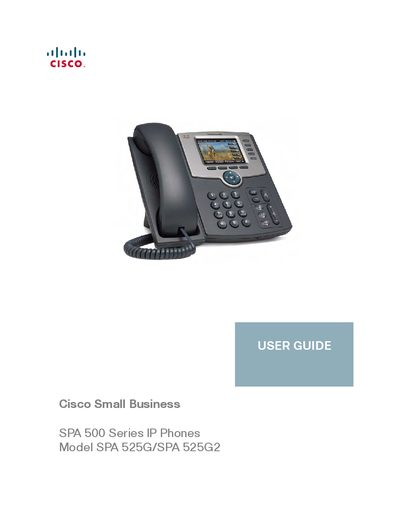
Cisco Small Business SPA 500 Series IP Phones Model SPA 525G/SPA 525G2 USER GUIDE
This guide provides step‑by‑step instructions for setting up and using the Cisco SPA 525G/525G2 IP phone. It includes chapters on getting started, hardware installation, basic phone functions, advanced features such as Bluetooth pairing and call handling, and using the web interface for configuration.
The document also lists regulatory statements, power requirements, and where to obtain firmware updates, support, and additional resources from Cisco Small Business.
Cisco SPA525G specifications
| Screen Resolution | 320 x 240 color, 3.2-inch LCD screens |
|---|---|
| Power Support | 802.3af Power-over-Ethernet support |
| USB Port | USB 2.0 port |
| Wireless Support | Wireless-G client support |
All Cisco SPA525G documents by type
Day-to-day operation, settings and troubleshooting. Start here if the product is already set up.
Questions answered in these manuals
Can the phone be powered by an Ethernet switch?
Yes, the phone can be powered by connecting it to an Ethernet switch that provides Power over Ethernet (PoE).
Is a power adapter required for the wireless connection?
Yes, if you are using the Wireless-G connection, a Cisco PA 100 power adapter is required.
How can I reduce FCC interference caused by the phone?
You can reorient or relocate the receiving antenna, increase separation between the phone and the receiver, plug the phone into a different circuit, or consult a qualified technician.
From: Cisco Small Business SPA 500 Series IP Phones Model SPA 525G/SPA 525G2 USER GUIDE
Where can I download firmware updates for the SPA 525G/525G2?
Firmware updates are available from the Cisco Small Business Firmware Downloads page (www.cisco.com/go/smallbizfirmware).
From: Cisco Small Business SPA 500 Series IP Phones Model SPA 525G/SPA 525G2 USER GUIDE