
Key facts
Start here
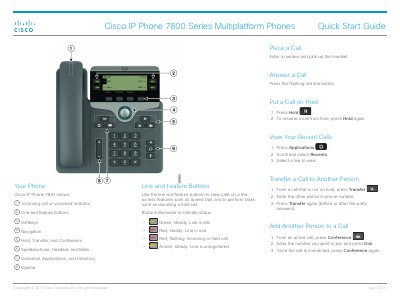
Cisco IP Phone 7800 Series Multiplatform Phones Quick Start Guide
The Cisco IP Phone 7800 Series Multiplatform Phones Quick Start Guide provides essential operating instructions for the 7800 series, including the 7821, 7841, and 7861 models.
It details how to perform basic telephony tasks such as placing and answering calls, transferring calls, and managing conference calls, as well as adjusting device preferences like volume and screen contrast.
All Cisco 7800 Series documents by type
The shortest path to a working setup, usually only a few pages.
Day-to-day operation, settings and troubleshooting. Start here if the product is already set up.
Questions answered in these manuals
How do I put a call on hold with a Cisco 7800 series phone?
Press the Hold button to put a call on hold, and press Hold again to resume the call.
From: Cisco IP Phone 7800 Series Multiplatform Phones Quick Start Guide
How do I adjust the screen backlight for the 7821, 7841, or 7861 models?
Go to Applications > User preferences > Screen preferences > Backlight timer and choose On, Off, or a specific time duration.
From: Cisco IP Phone 7800 Series Multiplatform Phones Quick Start Guide
What should you do if the power fails during an emergency call?
You may need to reconfigure the device to use the service or emergency call dialing.
Which external devices are recommended for use with the phone?
High-quality external devices such as headsets, cables, and connectors that can shield unnecessary RF and AF signals.
How do I make a call using the headset?
Insert the headset, enter the number on the keypad, and press the headset button.
Can I use speed dial codes to make a call?
Yes, you can enter a speed dial code and then press the Speed Dial button after setting it up in SelfCare.