
Key facts
Start here
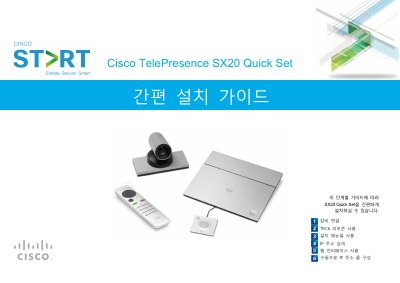
Cisco TelePresence SX20 Quick Set Quick Start Guide
This guide provides step-by-step instructions for installing the Cisco TelePresence SX20 Quick Set. It covers verifying required equipment, connecting cables (Ethernet, HDMI, VGA, DVI), and setting up the camera and microphone. It also details how to use the TRC6 remote control and the initial setup wizard. This manual is written in Korean.
Read onlineCisco SX20 Quick Set specifications
| Supported Cameras | Precision 40 or PrecisionHD 12x |
|---|---|
| Microphone | Table Microphone 20 |
| Remote Control | TRC6 |
| Required Ports for H.323 | 1720, 5555-6555, 2326-2487 |
All Cisco SX20 Quick Set documents by type
The shortest path to a working setup, usually only a few pages.
Ratings, dimensions and ordering codes, for selection and design work.
Day-to-day operation, settings and troubleshooting. Start here if the product is already set up.
Questions answered in these manuals
How do I check the system IP address?
Navigate to System Information on the remote control and press OK/Enter.
Which protocol should be selected for manual call setup?
Select H.323 from the Protocol dropdown list in the DefaultCall section.
What is the maximum resolution supported?
The system supports a best resolution of up to 1080p60.
Does it support dual-screen mode?
Yes, the SX20 Quick Set offers an optional dual-screen mode.
How many participants can be added in a multipoint conference?
The built‑in multipoint engine can add three additional participants, allowing up to four sites in a conference.
What are the power requirements for the SX20 Quick Set?
It uses an auto‑sensing power supply that accepts 100‑240 VAC, 50/60 Hz and draws a maximum of 40 watts.