
Key facts
Start here
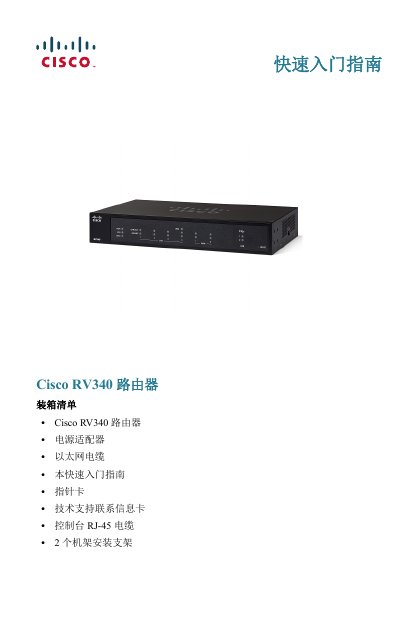
Cisco RV340 Router Quick Start Guide
This is the Chinese-language Quick Start Guide for the Cisco RV340 router. It lists the package contents (router, power adapter, Ethernet cable, guide, pointer card, technical support contact card, console RJ-45 cable and two rack-mount brackets) and describes installation requirements covering ambient temperature, ventilation, circuit overload and mechanical load.
The guide explains desktop, wall-mount and rack-mount installation, the front and rear panel indicators and ports, connecting a PC through the LAN ports, launching the web device manager at https://192.168.1.1 with the default login, changing the administrator username and password, and troubleshooting connectivity with the ping command. This manual is written in Chinese.
Cisco RV340 specifications
| Ambient temperature limit | Do not use in areas above 40°C (104°F) |
|---|---|
| WAN ports | Dual Gigabit Ethernet WAN ports supporting load balancing and failover |
| USB ports | Dual USB ports supporting 3G/4G modems or flash drives |
| Power input | 12VDC, 2.5A |
| Default management IP | https://192.168.1.1 |
| Default username / password | cisco / cisco (password is case sensitive) |
| PC IP range from DHCP | 192.168.1.xxx |
| Wall-mount hole spacing | About 109 mm between the two positioning holes |
| Wall-mount screws | Two M3.5*16.0L (K) W-NI #2 screws |
| Rack-mount kit contents | 2 rack-mount brackets and 8 M4*6L (F) B-ZN #2 screws |
All Cisco RV340 documents by type
The shortest path to a working setup, usually only a few pages.
Day-to-day operation, settings and troubleshooting. Start here if the product is already set up.
Questions answered in these manuals
How do I restart the router or reset it to factory defaults?
Press the Reset button for no more than 10 seconds to restart the router. Hold it for at least 30 seconds to reset the router to factory default settings.
What are the default login credentials for the device manager?
The default username is cisco and the default password is cisco; the password is case sensitive.
What type of device is the Cisco RV340x?
The Cisco RV340x is a router.
What is the purpose of the manual?
The manual provides administration instructions for the device.